Enter your vehicle’s old logbooks
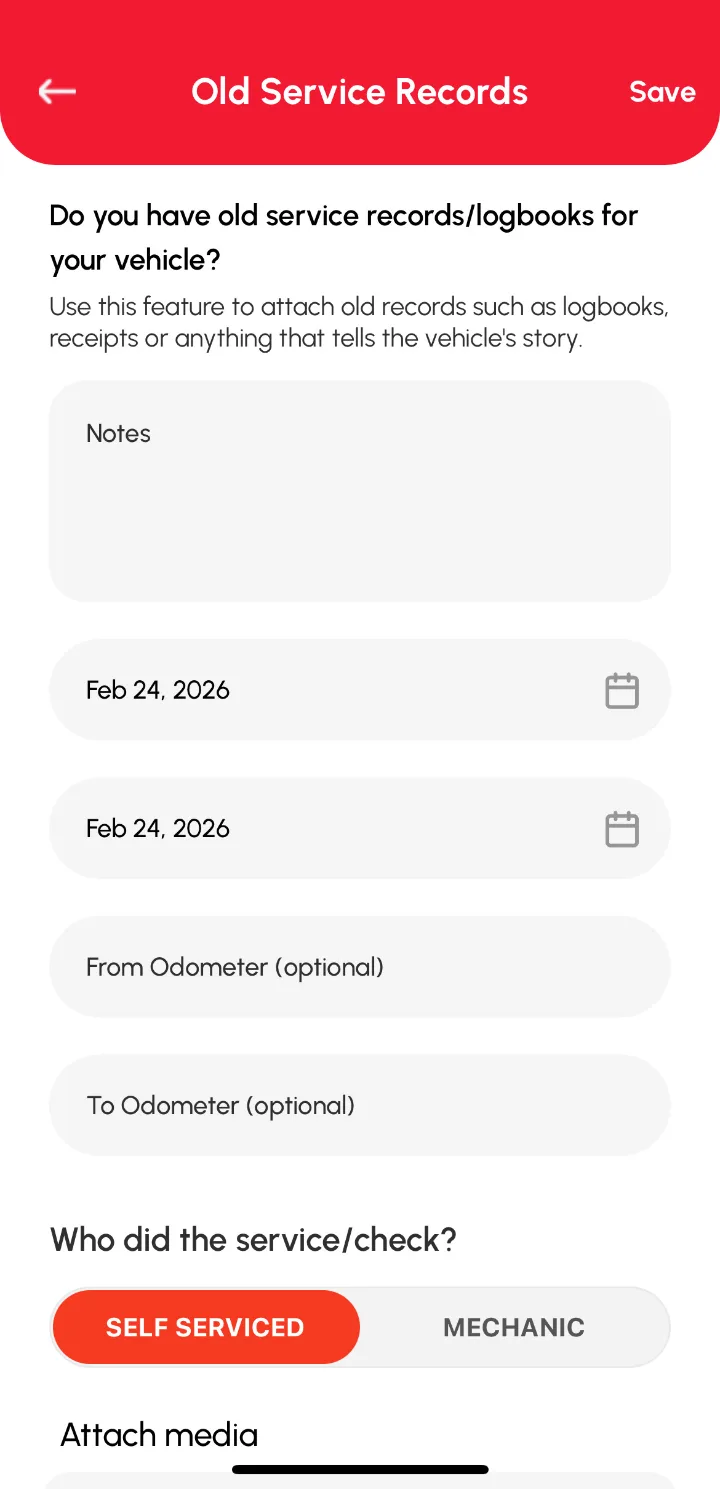
An Old Log is for history from the past, usually photos of an old paper logbook. It’s especially handy when you buy a second-hand vehicle. Each Old Log has a Start date and End date, so one entry can cover months or years.
How to add an Old Log
- On the Home page or Vehicles page, select the vehicle.
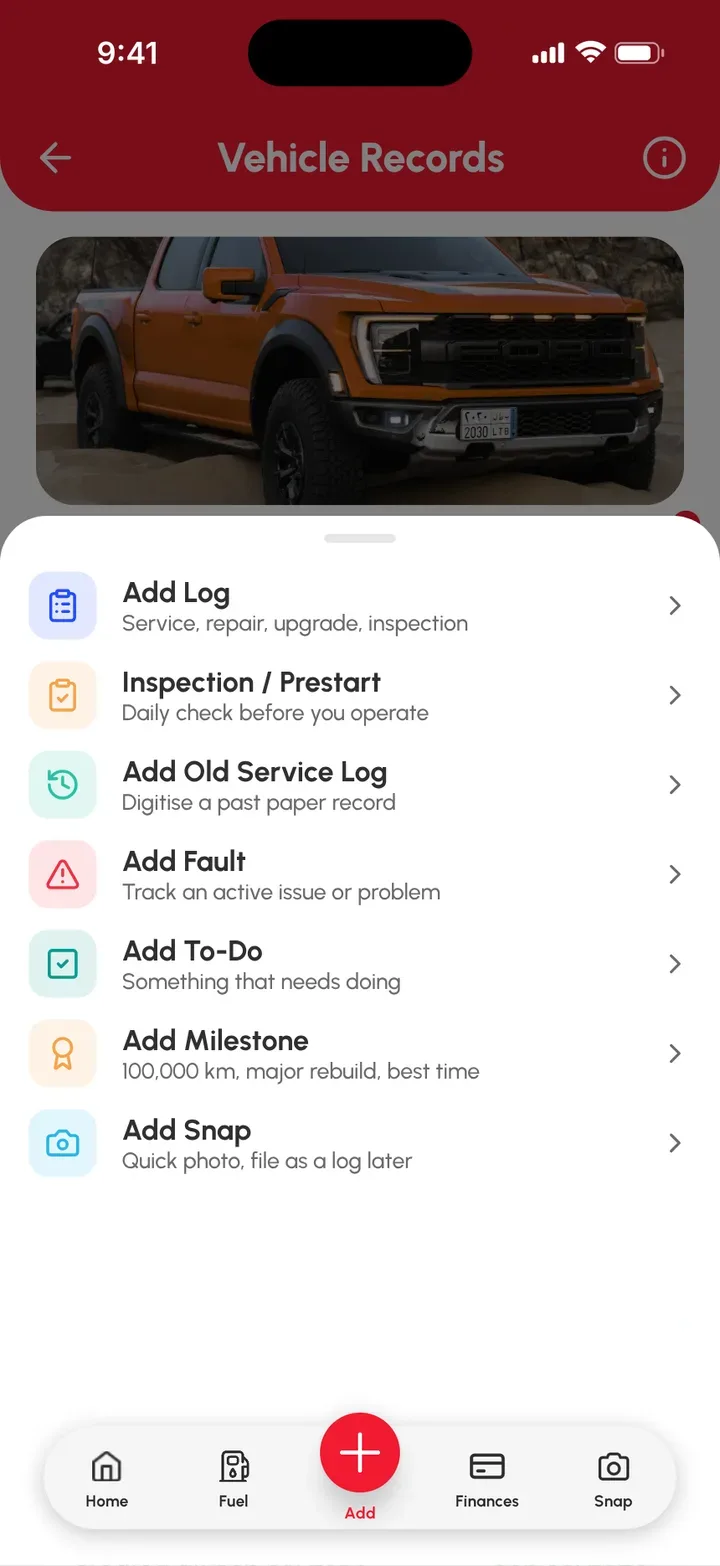
- Tap the red Add (+) button on the bottom bar of the Vehicle Records page.
- Tap Add Old Service Log.
- Fill in the fields on the Old Service Records form.
- Add photos of the logbook pages, plus any other attachments.
- Tap Save.
Your Old Service Log now shows on the Vehicle Records page.
Related articles
- Add a log entry, for recent work
- Get started: add your first vehicle