Organise vehicles into folders (Car Grouping)
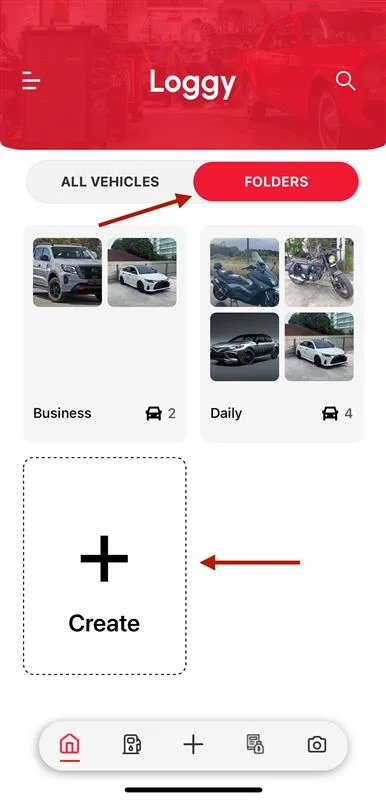
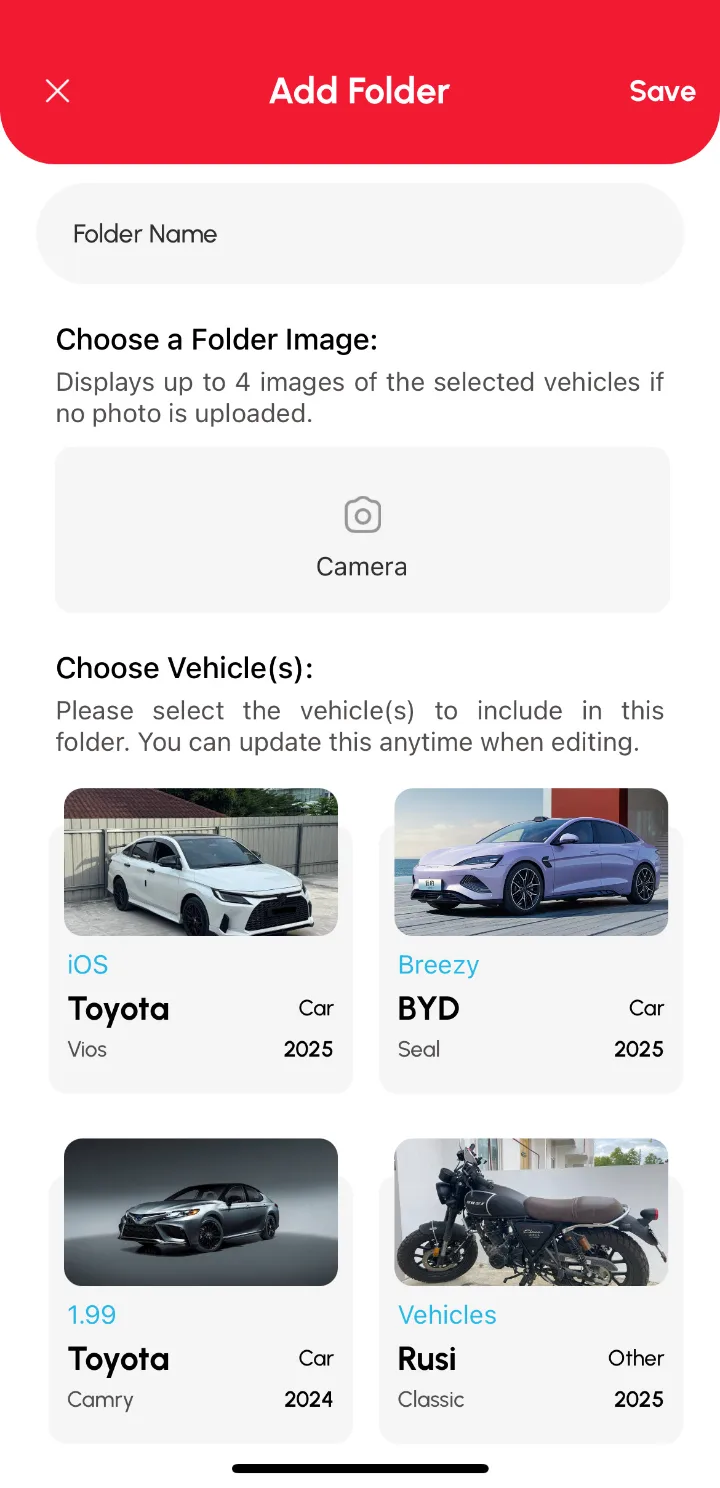
Car Grouping lets you sort your vehicles into folders, by category, purpose or how you use them, instead of scrolling one long list. On the Home page, tap the FOLDERS tab, tap Create +, name the folder, pick the vehicles and tap Save.
Note: Car Grouping is part of the Premium plan.
Create a folder
- On the Home page, tap the FOLDERS tab.
- Tap Create +.
- Enter a Folder Name.
- (Optional) Add a folder image.
- Select the vehicles to include.
- Tap Save.
Good to know
- Create as many folders as you like.
- A folder can hold multiple vehicles.
- A vehicle can sit in more than one folder.