Search your vehicles
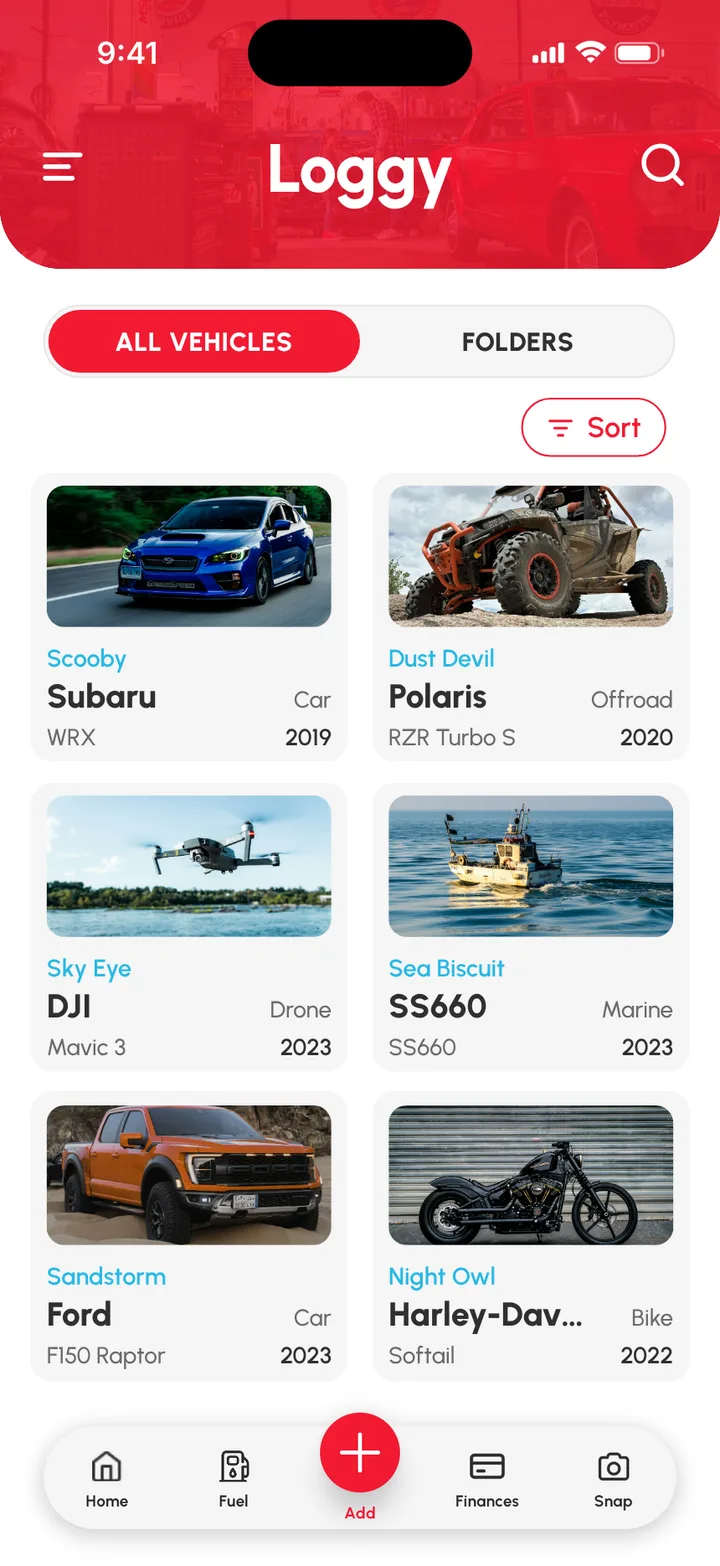
To find a vehicle fast in Loggy, tap the search (magnifying glass) icon at the top right of the Home page, then type its name, make or model.
How to search
- On the Home page, tap the search icon at the top right.
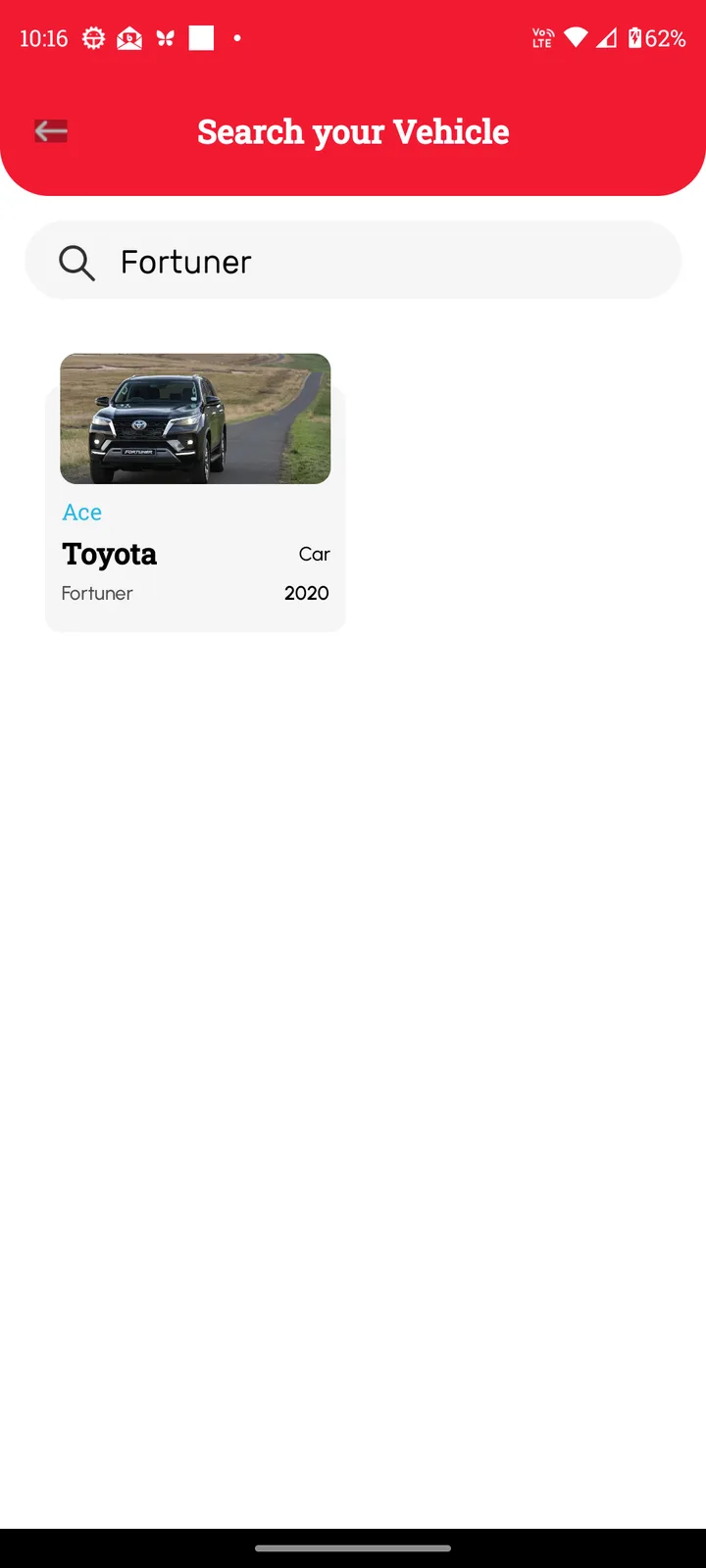
- On Search your Vehicle, type a name, make or model. For example: “Fortuner”.
- Tap the vehicle in the results to open it.
Tip
Lots of vehicles? Group them into folders, such as Business and Daily, with Car Grouping (Premium).