Update your profile
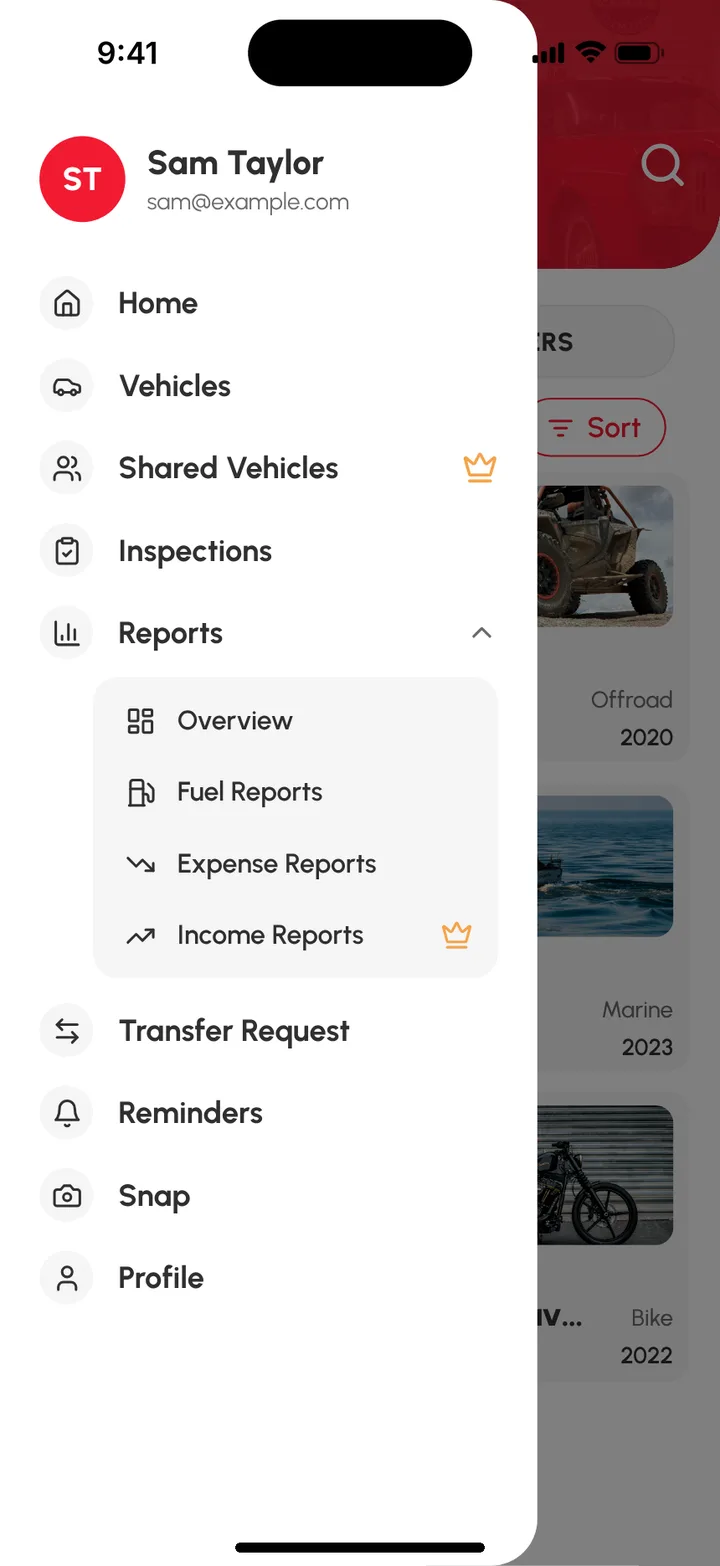
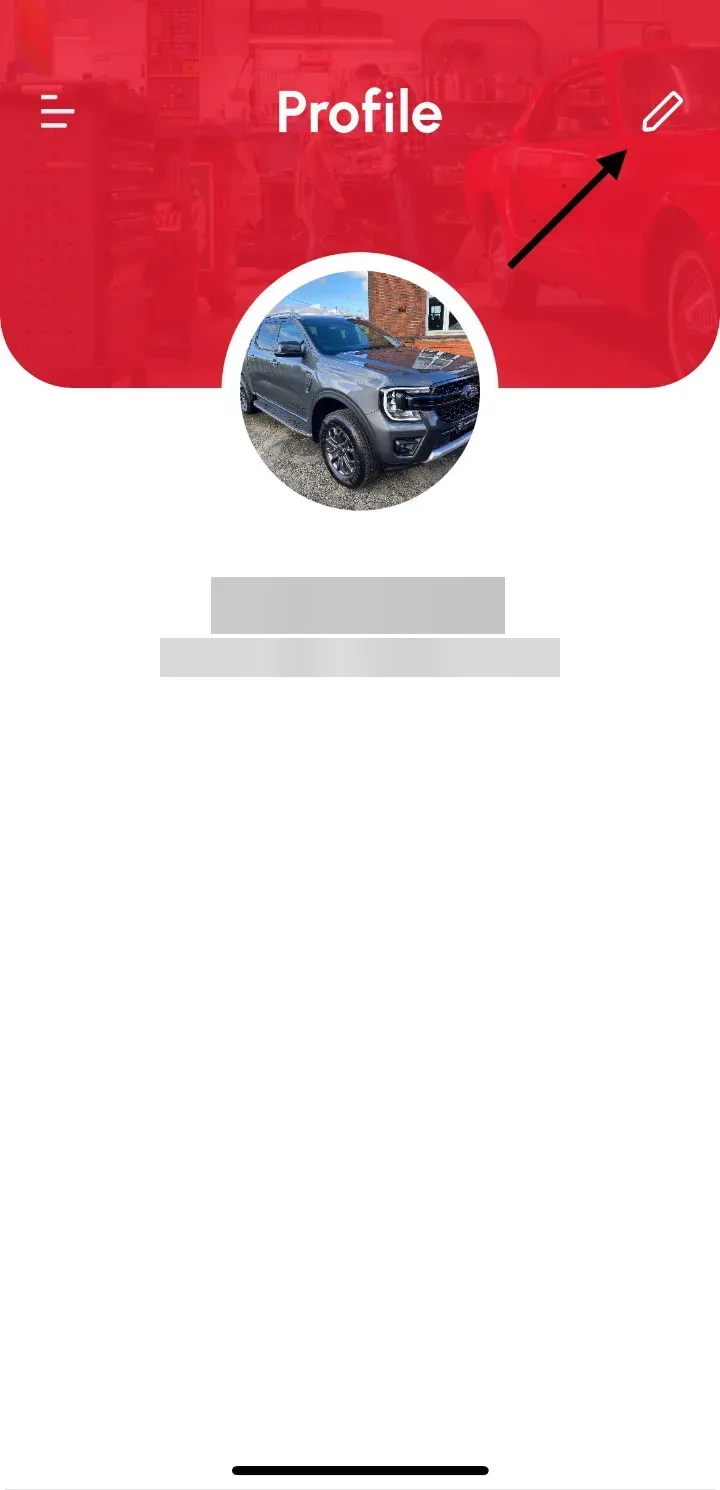
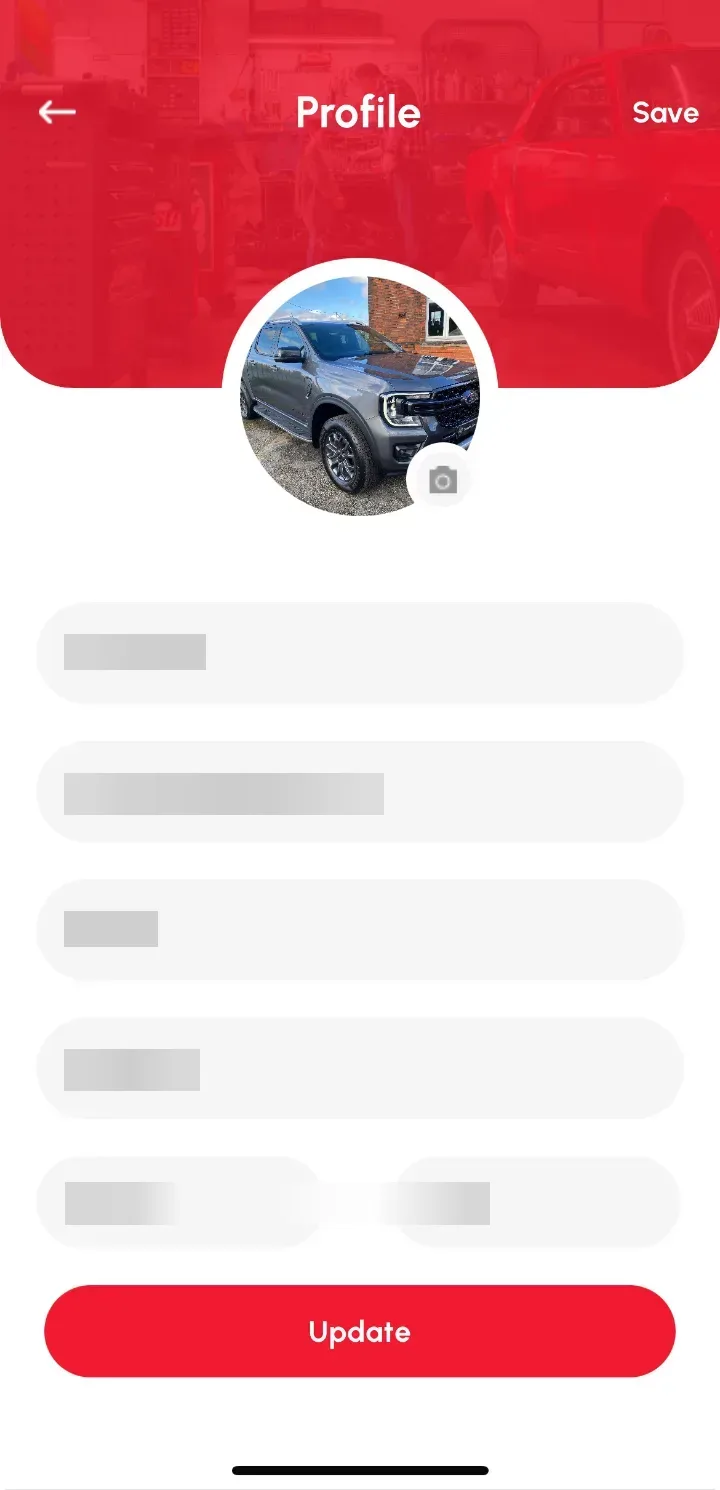
To update your Loggy profile, open the top-left menu, tap your name at the top (or Profile), tap Edit, change your details and tap Save.
How to update it
- Tap the top-left drawer menu.
- Tap the header, or Profile, in the side menu.
- On the Profile page, tap Edit.
- Edit your Name, Address details and profile picture.
- Tap Save (or Update).
Your updated details now show on the menu header and the Profile page.