Track faults
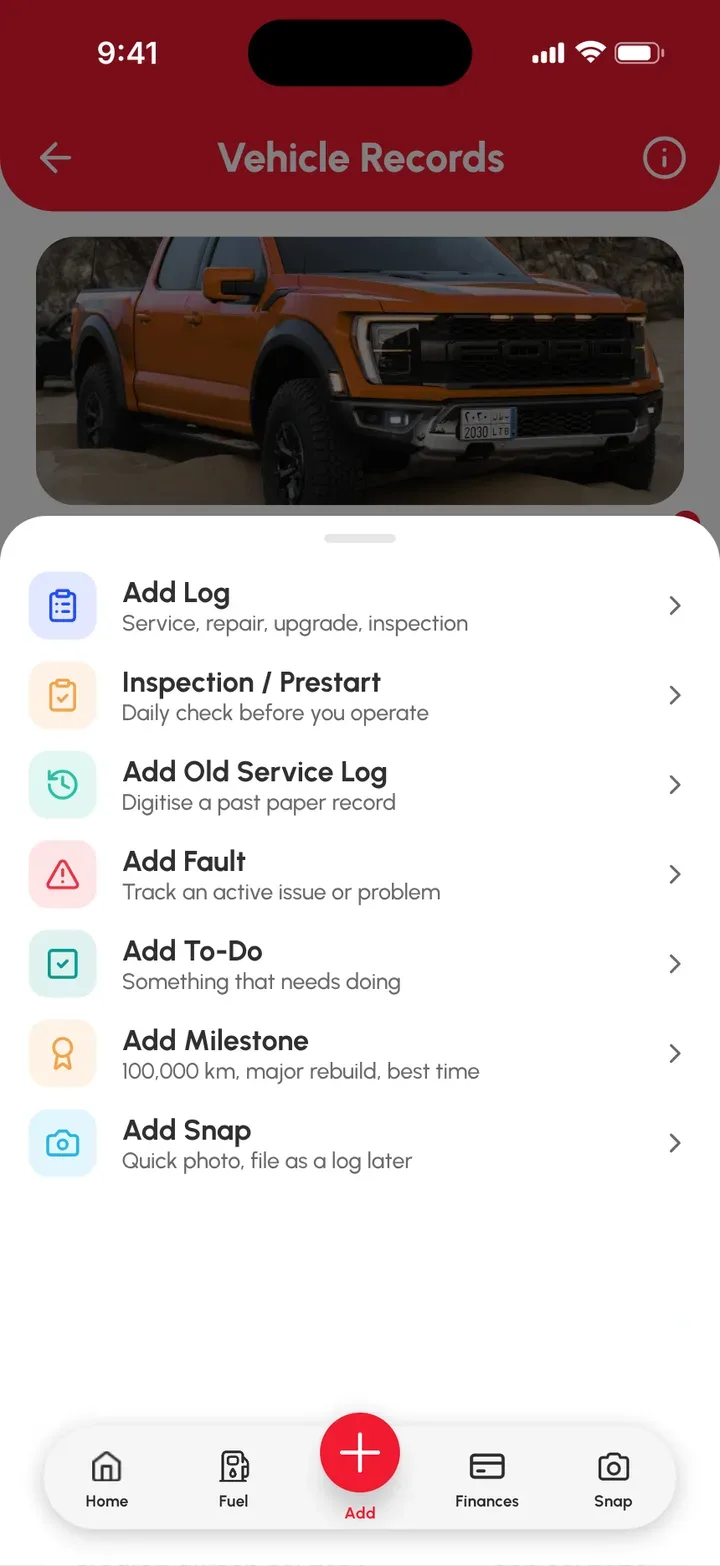
Active Faults is your vehicle’s list of things that need fixing, usually the non-urgent stuff like a dead interior light. Add a fault from the red Add (+) › Add Fault, then next time you’re working on the vehicle or at the mechanic, bring up the list and tick them off one by one.
Add a fault
- On the Home page or Vehicles page, select the vehicle.
- Tap the red Add (+) button on the bottom bar of the Vehicle Records page.
- Tap Add Fault.
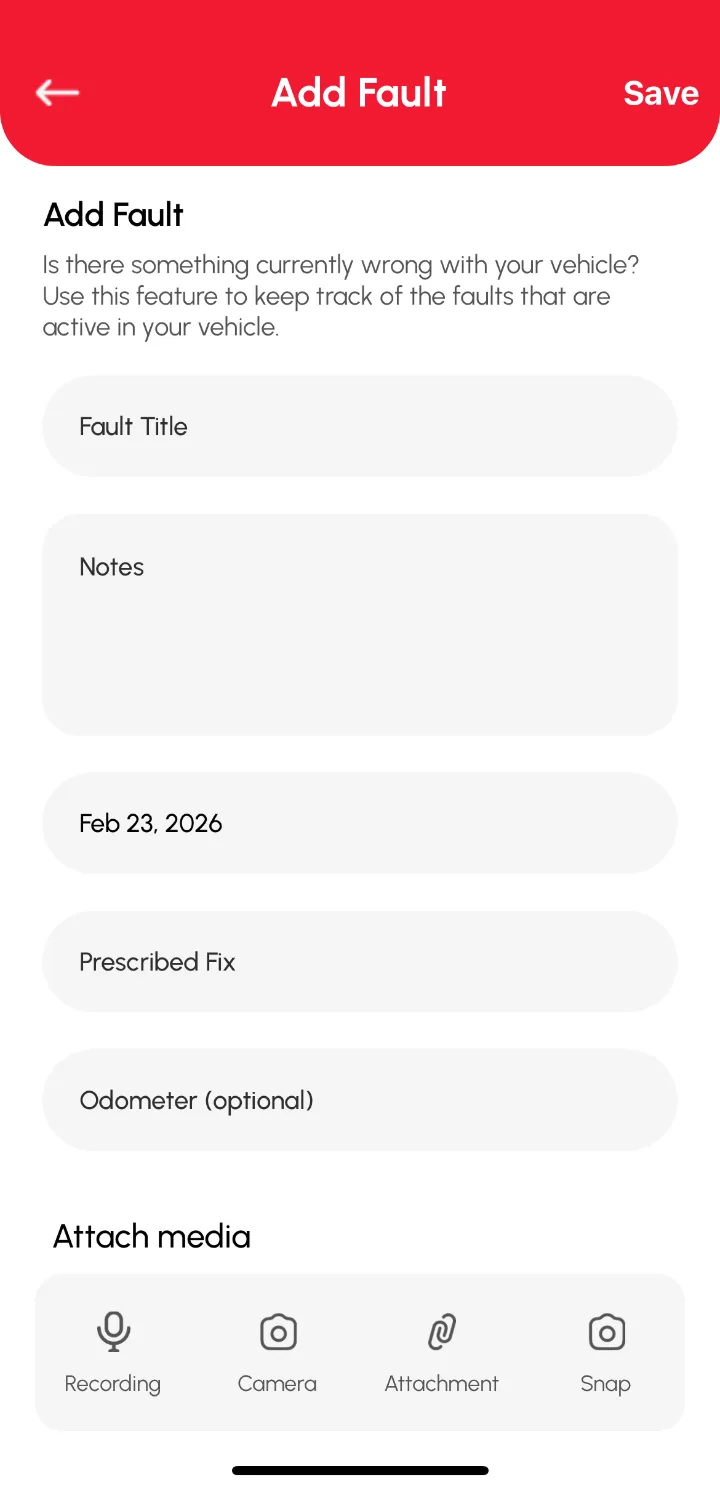
- Fill in the fields on the Add Fault form.
- Add any photos, videos or voice notes.
- Tap Save.
The fault now shows in the Active Faults section of the Vehicle Records page.
Clear a fault once it’s fixed
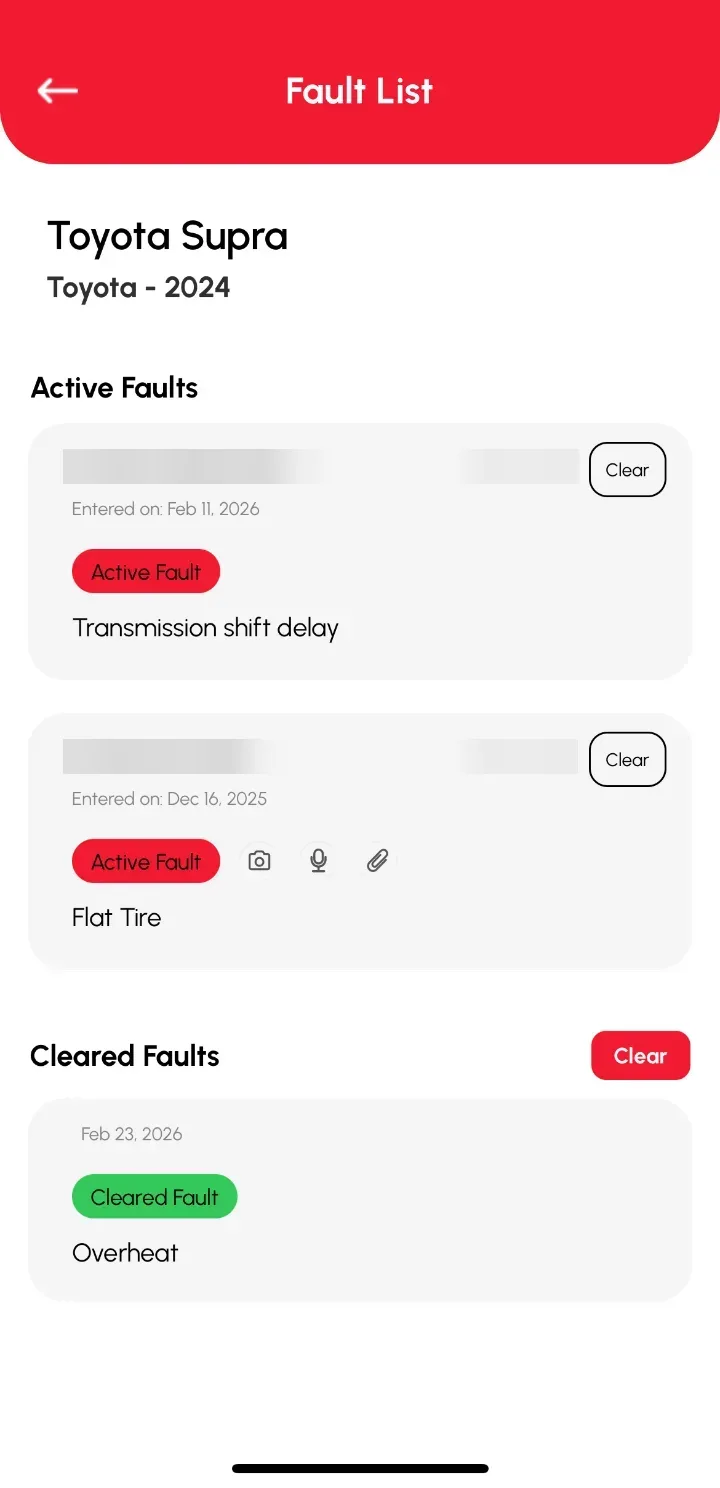
Cleared faults move to the Cleared Faults section automatically, so you’ve got a record if the same problem comes back.
- On the Vehicle Records page, tap the Active Faults section.
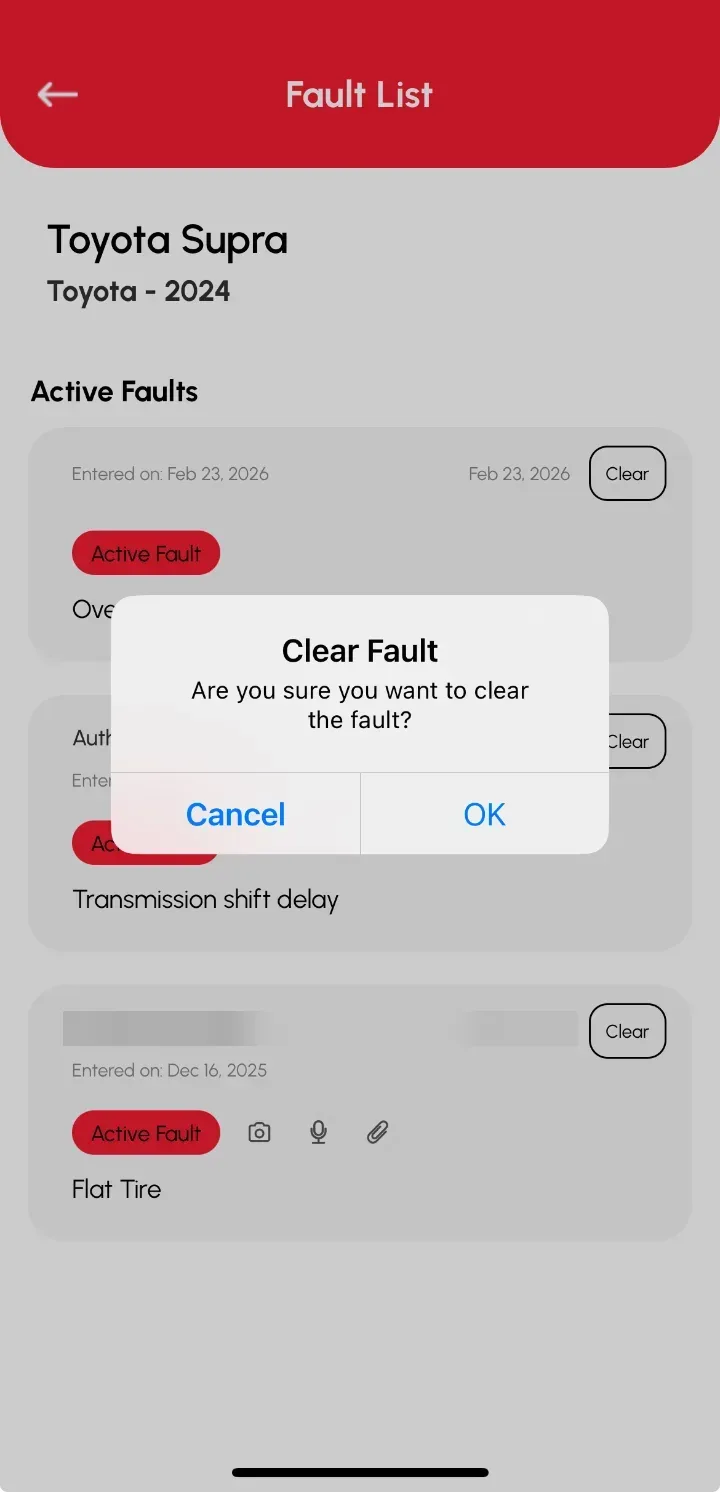
- Tap Clear on the fault you’ve fixed.
- The fault moves to the Cleared Faults list.
- You can also empty the Cleared Faults list with the Clear button beside it.
Tip: When you clear a fault, add a log too, so you’ve got a record of what you did to fix it.
Related articles
- Inspections and prestart checks, where failed checks become faults
- Add a log entry
- Plan future services with To Dos