Vehicle Maintenance Log: Free Template and What to Record
A vehicle maintenance log is a dated record of every service, repair, inspection and cost for one vehicle, kept so the owner knows what was done and what is due next.
You’re at the mechanic. They ask when the brakes were last done. You think it was last spring. Maybe the spring before. A good log settles that in ten seconds, and it settles it for the next owner too.
Below you can download a free log as a printable PDF or a spreadsheet, and see exactly what to write down.
- Write down 8 things after every job: date, reading, what was done, who did it, parts, cost, receipt and next service due.
- The PDF and the spreadsheet are free. Use either one.
- Paper and spreadsheets work fine for one vehicle. Once you have a few vehicles, or staff who share them, an app saves time.
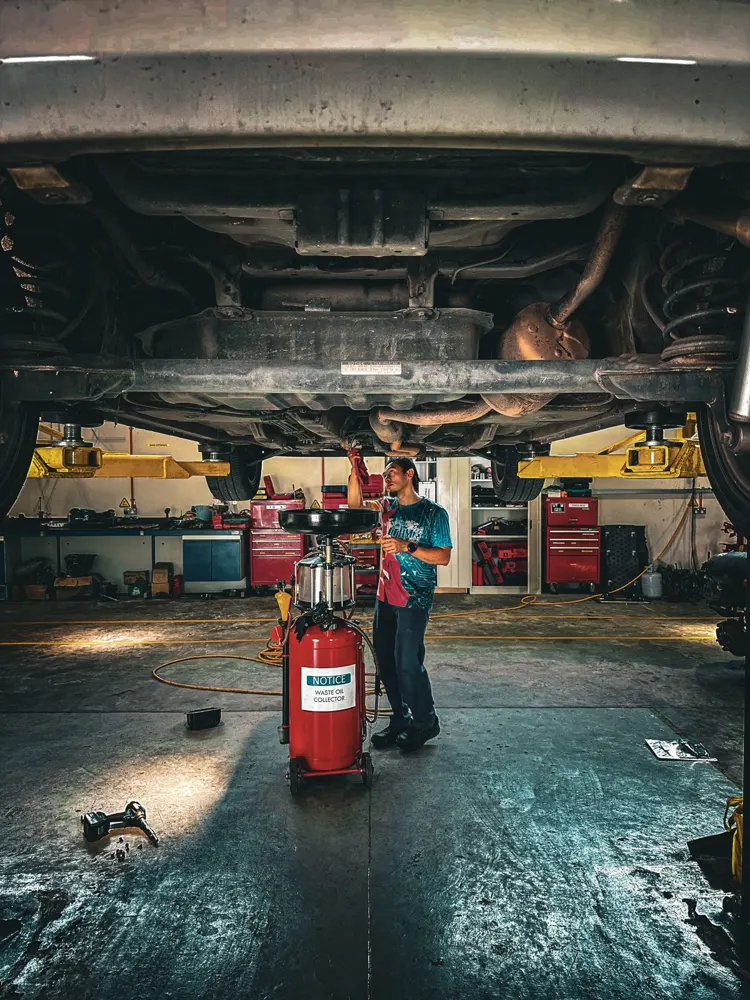
Why keep a vehicle maintenance log
A log tells you what’s due before it turns into a breakdown. It shows what a vehicle really costs you over a year. It gives you proof when you sell, claim on a warranty or hand a vehicle to someone else. And if you run work vehicles, it shows you which one keeps going back to the workshop.
What to record in a vehicle maintenance log
Eight fields cover it. Fleet software guides list much the same things: Fleetio names the date, odometer or engine hours, work done, parts, vendor, costs and next-due interval, and Geotab adds sign-offs and downtime.
| What to write | Example | Why it matters |
|---|---|---|
| 1. Date | 14 Mar 2026 | Puts every job in order and shows the gaps. |
| 2. Odometer reading or engine hours | 86,400 km, or 1,250 hours | Services come due by distance or hours, so the reading is what counts. |
| 3. What was done | Oil and filter change | Be specific. “Brakes” tells you nothing a year later; “front pads replaced” does. |
| 4. Who did it | Dave’s Garage, or “me” | You know who to call if it fails. |
| 5. Parts used | Oil filter, 5 L of 5W-30 | You can buy the same part next time. |
| 6. Cost | 129.00 | Adds up to what the vehicle costs you. |
| 7. Receipt or photo | Photo of the invoice | Proof for a buyer or a warranty claim. |
| 8. Next service due | 92,400 km or March 2027 | Turns the log into a to-do list. |
Running a work vehicle? Add the VIN or your own unit number so the log can’t get mixed up with another vehicle’s.
Free vehicle maintenance log template
Pick the one you’ll actually use.
- Printable PDF: one landscape page, 20 rows, with a box for the vehicle’s name, make, model, year and plate.
- Spreadsheet (.xlsx): the same layout. It opens in Excel and Google Sheets (in Sheets, use File, then Import), and the cost column adds itself up.
Both use the eight fields above. Here’s how three rows look once they’re filled in:
| Date | Reading | What was done | Who | Parts | Cost | Receipt | Next due |
|---|---|---|---|---|---|---|---|
| 14 Mar 2026 | 86,400 km | Oil and filter change | Dave’s Garage | Oil filter, 5 L 5W-30 | 129.00 | Photo | 92,400 km |
| 02 Jun 2026 | 90,100 km | Front brake pads replaced | Dave’s Garage | Pad set | 240.00 | Invoice 5513 | Check at next service |
| 19 Sep 2026 | 94,000 km | Tire rotation | Me | None | 0.00 | None | 104,000 km |
Download the printable PDFDownload the spreadsheet
Use one sheet per vehicle. In the spreadsheet, right-click the Log tab and choose Duplicate for each extra one.
A maintenance log for each type of vehicle
The log is the same. What you measure and what you note changes.
| Vehicle | Measure by | What to note | More |
|---|---|---|---|
| Car | Kilometers or miles | Oil, tires, brakes, and registration and insurance renewals | Schedules by model |
| Truck or van | Kilometers or miles | The driver, any inspection notes, and costs per vehicle | Truck maintenance log |
| Tractor, mower or excavator | Engine hours | The hours at each service, plus attachments | Farm, construction, landscaping |
| Boat | Engine hours | Haul-outs, winterizing and engine services | Boat maintenance log |
| Motorcycle | Kilometers or miles | Chain, tires and services | Motorcycle maintenance log |
Not sure whether to use hours or distance? Engine hours vs mileage explains how to choose.
Paper, spreadsheet or app
For one vehicle, paper or a spreadsheet is fine. The trouble starts when you forget to fill it in, lose the book, or need the same record in two places.
| Paper log | Spreadsheet | App (Loggy) | |
|---|---|---|---|
| Cost | Free | Free | Free to start |
| Reminders for the next service | You remember | You build them | Built in |
| Receipts and photos | Staple or tape | Hard to attach | Snap and save on the entry |
| Several vehicles | One book each | One sheet each | All in one place |
| Sharing with staff or family | Hand over the book | Share the file | Loggy Pro lets you invite them |
| Full history for a buyer | Show the book | Print it | Export a PDF |
A log only helps if it’s up to date, so the best one is the one that’s always in your pocket.
How to keep a vehicle maintenance log going
- Pick one place for it. A log in two places is two half logs.
- Write the entry the day the job happens, while the receipt is still in your hand.
- Use the same units every time. Kilometers or miles, never both. Hours for machines.
- Add the old records once. Photograph the paper logbook from the glovebox so the history starts at the beginning. Here’s how in Loggy.
- Read it before each service, and before you sell. Handing a buyer the full record also helps the sale: selling with service history.
Keep the log on your phone instead
Paper gets lost. Spreadsheets get forgotten. Loggy keeps your service history on your phone, so it’s there when the mechanic asks, and when a buyer does.
Add a vehicle, snap the receipt, set a reminder for the next service, and export a PDF of the full history when you sell. You can keep as many vehicles as you like. Running a business with staff? Loggy Pro lets you share vehicles with your team and organize them in folders.


Free to start. Want to begin with the spreadsheet? Go ahead. You can photograph your old paper logbook into Loggy later.
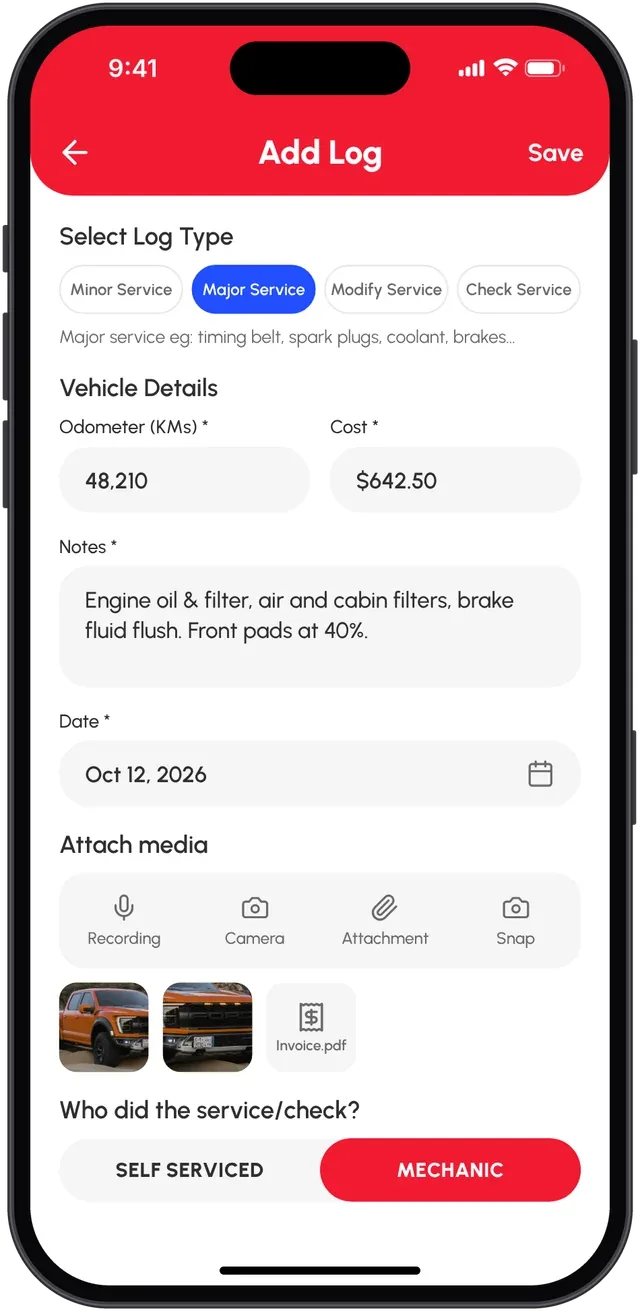
“This free app is phenomenal for helping keep track of our apparatus maintenance and repairs!”
Questions
How often should I update my maintenance log?
After every service, repair or inspection, on the day it happens. A log that’s a month behind is mostly guesses.
Do I need a maintenance log for a warranty or when I sell?
Most private owners aren’t required to keep one. But a dated record with receipts is what a buyer or a warranty provider can check. Read your warranty terms to see what they ask for.
Is a maintenance log required for commercial vehicles?
In the US, federal rules require motor carriers to keep records for each vehicle they control. The records identify the vehicle, show how inspections and due dates are tracked, and log each inspection, repair and maintenance task with its date and nature. They stay with the vehicle for 1 year, then for 6 months after it leaves the carrier’s control (49 CFR 396.3). Rules differ by country, vehicle type and weight, and this isn’t legal advice. Check the current text on the official eCFR, or ask your regulator.
Can one log cover several vehicles?
Keep one log per vehicle. In a spreadsheet, duplicate the Log tab. In Loggy, each vehicle has its own history, and they all live in one app.
When does a spreadsheet stop being enough?
When you stop opening it. A spreadsheet is fine for one or two vehicles that you service yourself. It starts to struggle when you have several vehicles, when someone else needs to see the history, or when you keep forgetting to fill it in. At that point an app that sends the reminder and keeps the receipt photo with the entry saves the most time.
Can I keep a log without an office or a computer?
Yes. Print the PDF and keep it in the glovebox or the workshop, or keep the log on your phone. What matters is that the entry gets written the day the job is done.
Is a maintenance log the same as a service history?
Nearly. A maintenance log is the record you keep. A service history is the same record when someone else reads it, like a buyer or the next owner.
Sources: Fleetio, Geotab, 49 CFR 396.3 on Cornell LII. Checked 31 October 2026.