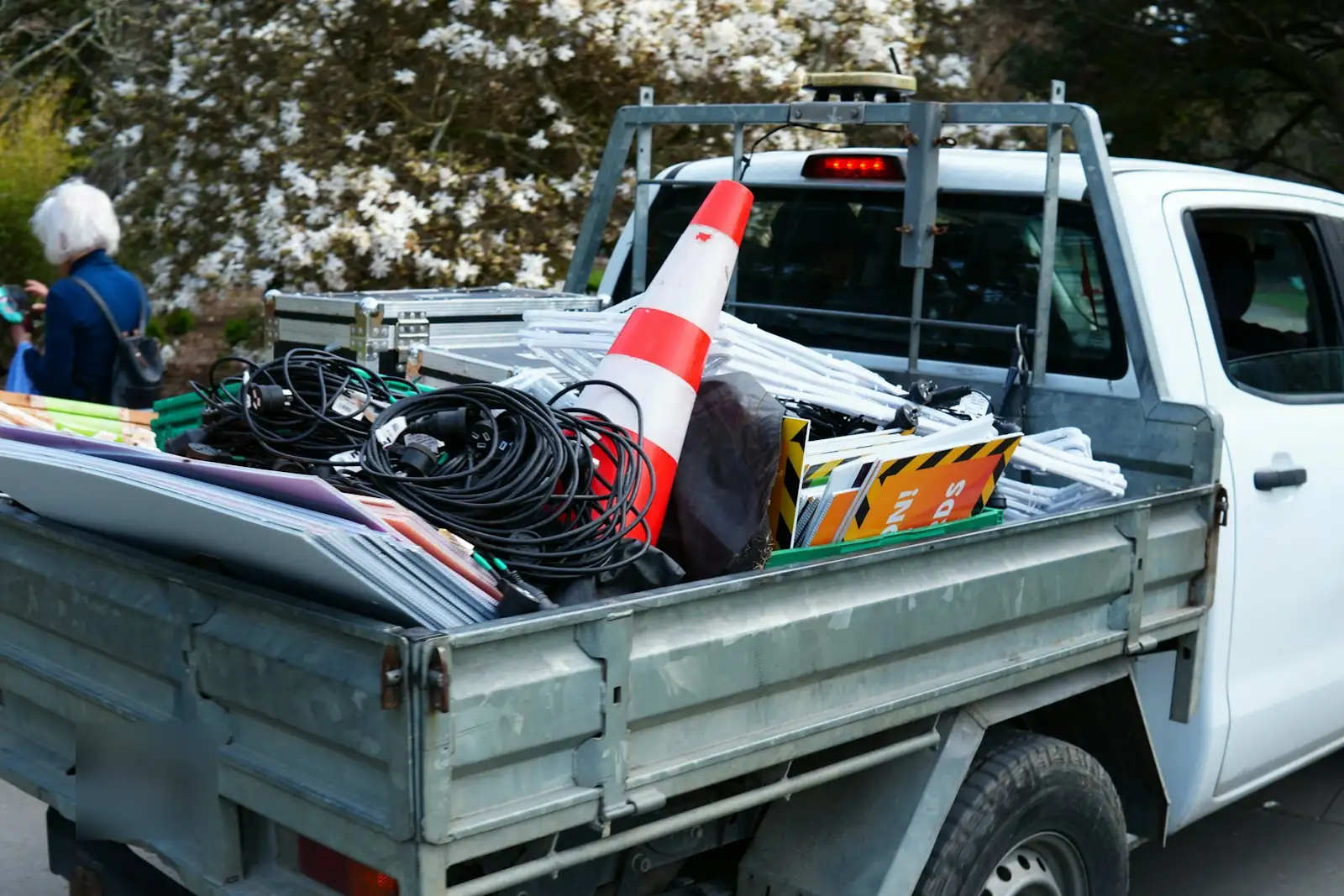
Receipts in the glovebox, services in someone's head, and a prestart sheet nobody filled in. If you run a towing outfit, a landscaping crew, a mobile workshop or a few utes for the trade, Loggy puts all of it on one phone without the cost of full fleet software.
★★★★★ “I am the fleet manager at a small fire department and this free app is phenomenal…” Justin Mroz · Google Play
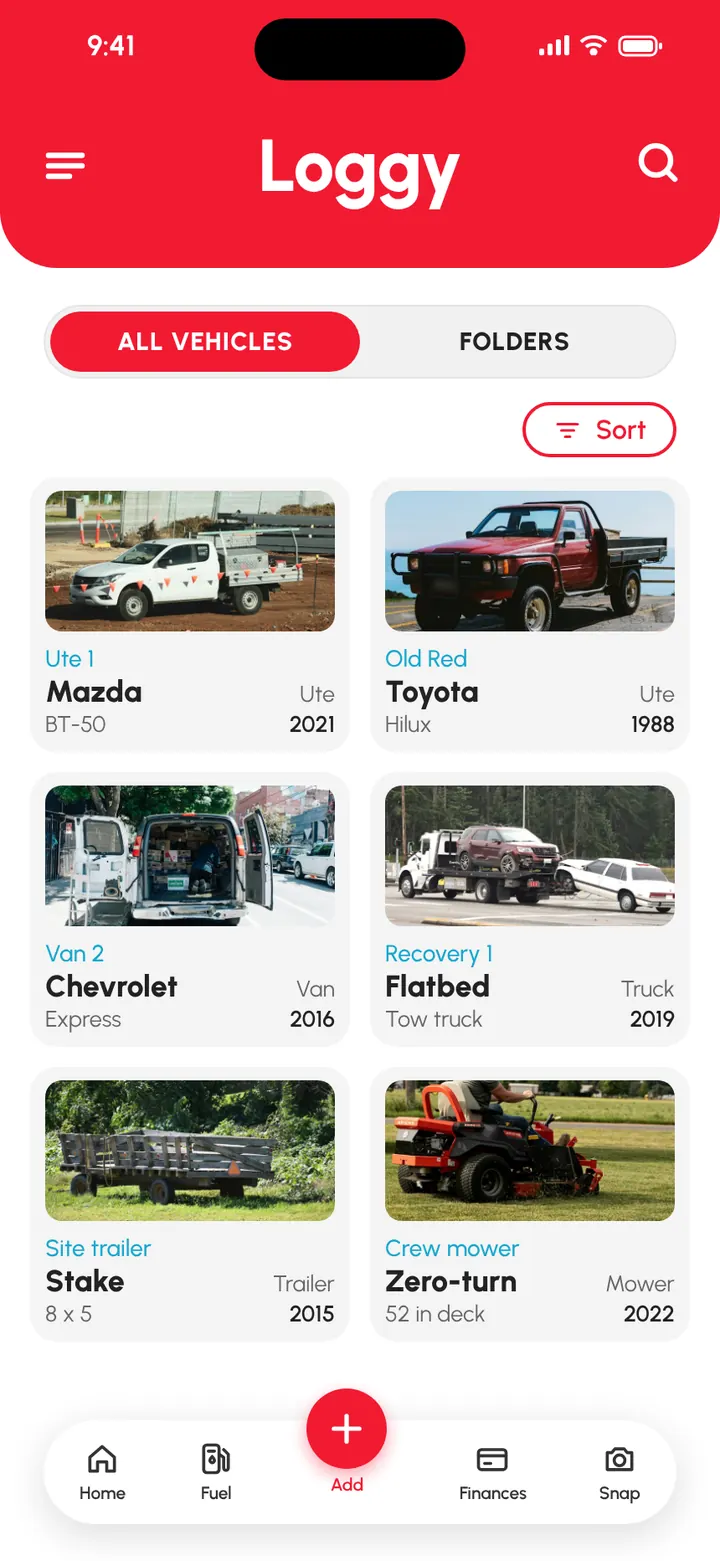
What small-company fleet managers add to Loggy
- Utes and pickupsHilux, Ranger, BT-50, F-150, Ram, Silverado
- VansTransit, Sprinter, HiAce, Express
- Company cars and SUVsCorolla, Camry, RAV4, Outlander
- TrucksLight and medium trucks, service bodies
- TrailersBox, enclosed, plant and car trailers
- EquipmentMowers, generators, pressure washers, forklifts
How small-company fleet managers use Loggy
- Drivers run a prestart check and sign it before they head out.
- Failed checks go straight onto the vehicle’s fault list.
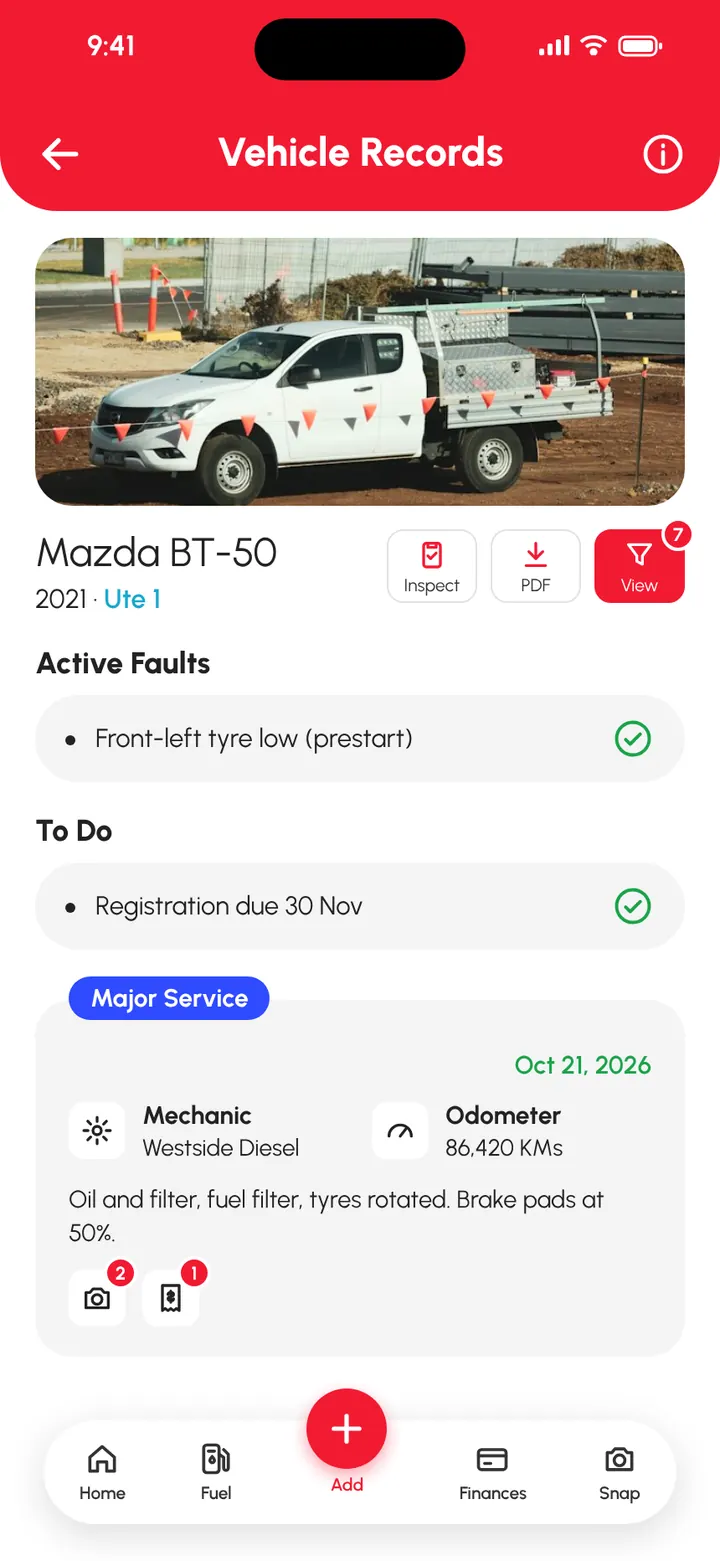
- Every service is logged with the odometer, cost and invoice.
- Reminders cover services, registration, insurance and inspections.
- Fuel and running costs are tracked vehicle by vehicle.
- Drivers and staff log to the vehicles they use (Premium).
- The fleet is split into folders by site, team or department (Premium).
- Fuel, expense and income reports go to the accountant as PDF or CSV (Premium).
What's free and what's Premium
Free
- Prestart checks drivers actually do. Pick a template or build your own, tap pass or fail on each item, add a photo and sign.
- Failed checks get fixed. A failed check goes straight onto the vehicle's Active Faults until someone fixes it.
- Every service on record. Date, reading, cost, receipts and photos for each job, on every vehicle.
- Reminders for what keeps you legal. Services, registration, insurance and inspections. Set them once and they repeat.
- Know what each vehicle costs you. Fuel, parts, labour, rego and parking, with charts per vehicle.
- The whole fleet, no per-vehicle fees. Add every ute, trailer and machine. Unlimited vehicles are free.
Added with Premium
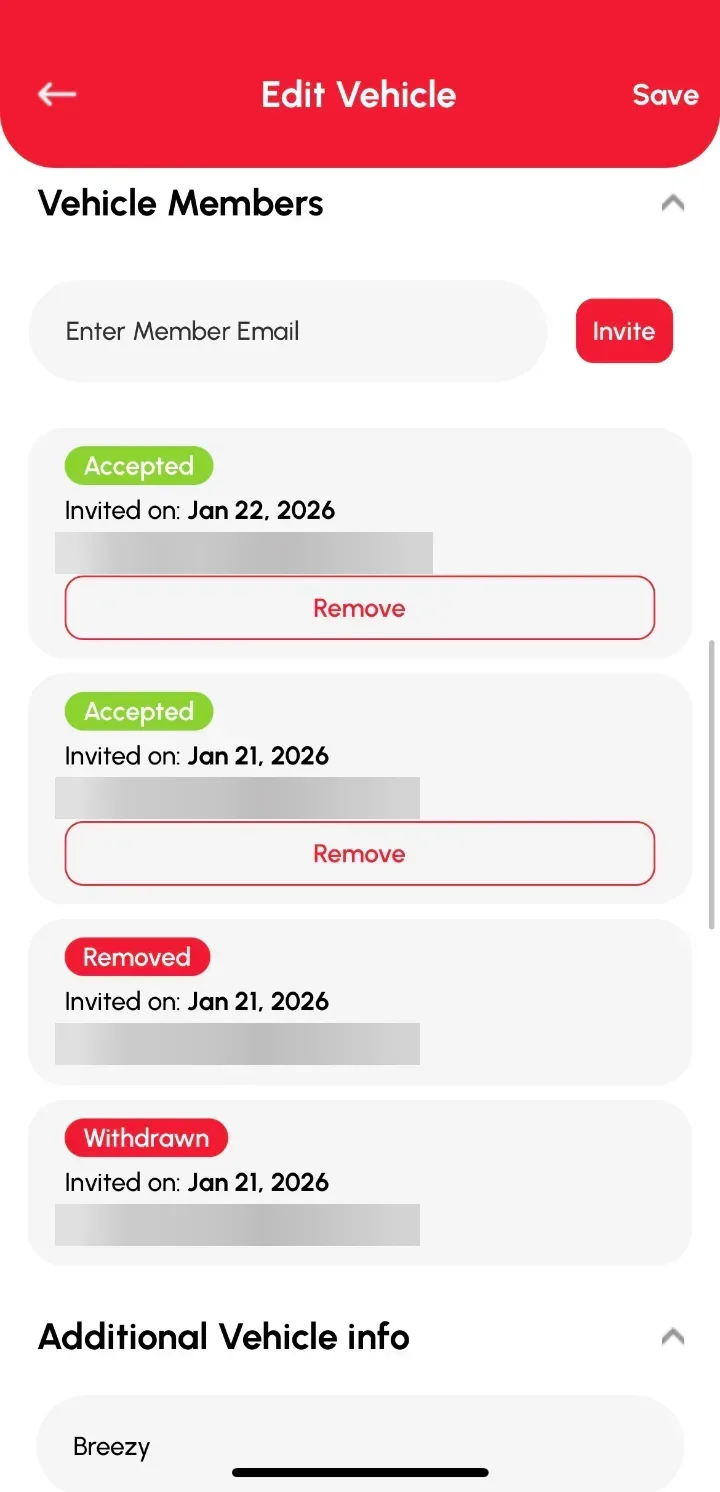
- Drivers and staff on the same vehicles. Invite them by email. They log, you stay in control of who is in.
- Folders. Split the fleet by site, crew or Business and Daily.
- Income per vehicle. See what each vehicle earns, by month and by year.
- Reports your bookkeeper will like. Fuel, expense and income reports as PDF or CSV.
Premium is US$9.99 a month or US$99.90 a year. Prices vary by country, and the app shows your local price before you pay. What's in Premium
Prestart checks your drivers will actually do
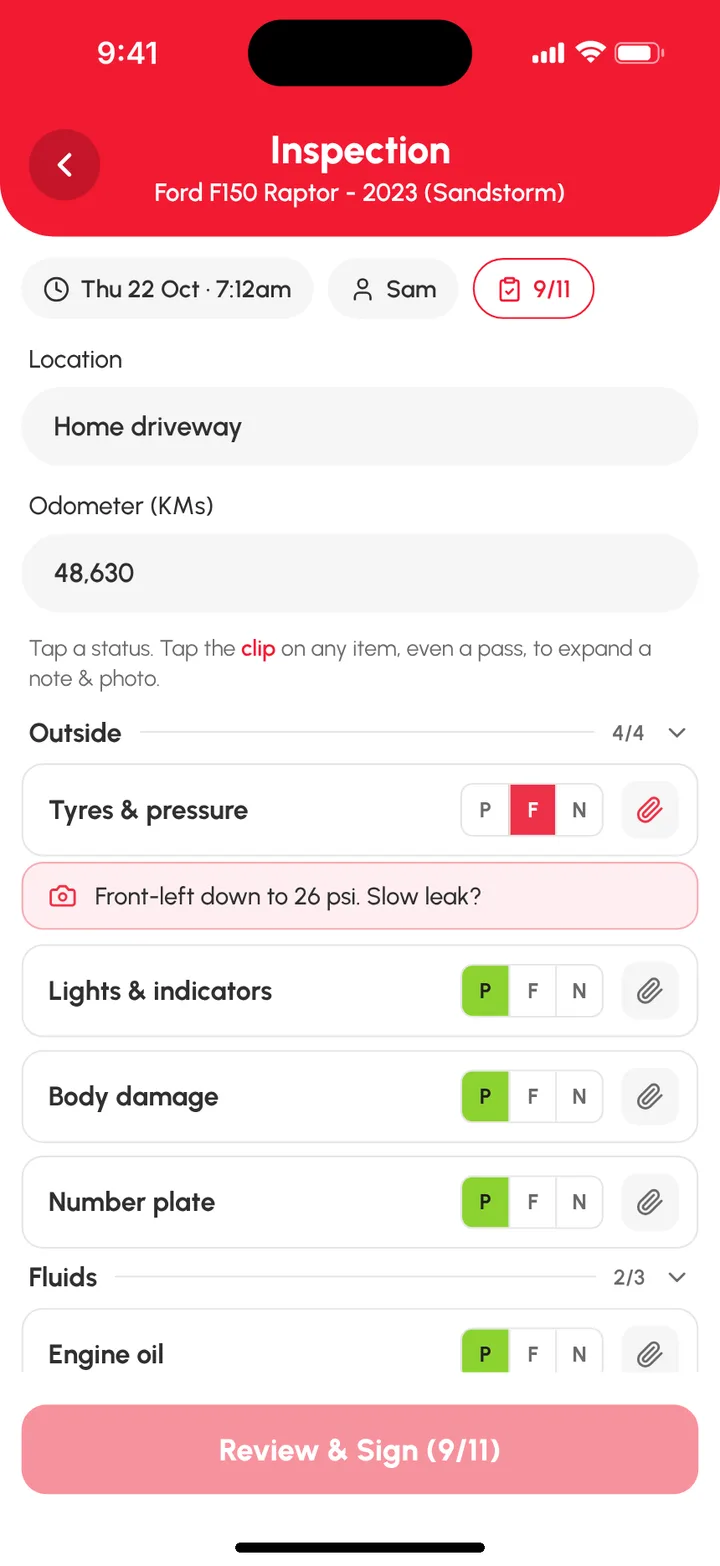
Plenty of tools can record that an inspection happened. Loggy runs the inspection itself, on the driver's phone. They open the vehicle, tap Inspect, add the location and odometer, and work down the list: tyres and pressure, lights, body damage, fluids, seatbelt, horn, wipers and warning lights on the Light Vehicle template, or your own list for trucks, trailers and machines.
Each item gets a pass, fail or N/A, with a note or photo where it helps. The driver signs and submits, and you have the date, time and who did it. All clear, and Loggy shows the vehicle is safe to operate. Something failed, and it's already on the faults list. How inspections work
How to get started
- Download Loggy and add each vehicle, trailer and machine. Pick km, miles or hours for each.
- Bring in the history you have, including photos of old paper logbooks.
- Set reminders for services, registration and insurance.
- Get drivers doing a prestart check before they roll out.
- Want drivers and staff on the same vehicles? Go Premium and invite them by email.
Maintenance schedules
Manufacturer service intervals for vehicles common in small fleets: all schedules.
Add your first work vehicle free. It takes about a minute. Free on iOS and Android, no ads. 4.6★ on the App Store, used in 190+ countries.
Frequently asked questions
Can drivers do daily prestart checks in Loggy?
Yes. A driver opens the vehicle, taps Inspect, picks a template such as Light Vehicle (11 checks) or a custom one, marks each item pass, fail or not applicable, then signs and submits. Each inspection is saved with the date, time and who did it.
What happens when an inspection item fails?
It's added to the vehicle's Active Faults list, where it stays until someone clears it. Past inspections can be filtered by All, Defects or This week from the Inspections menu.
Can my drivers and staff log to the same vehicle?
Yes, with Loggy Premium. The owner invites people by email and they accept from Shared Vehicles. Members can add logs and edit or delete their own. Only the owner can invite or remove people, change other people's logs or edit the vehicle's details.
Do I pay per vehicle?
No. Unlimited vehicles are free. Loggy Premium is one subscription, US$9.99 a month or US$99.90 a year (prices vary by country), and adds drivers and staff, folders, income tracking and downloadable reports.
Can I export reports for my accountant?
Yes, with Premium. Download fuel, expense and income reports as PDF or CSV for a vehicle and date range. CSV gives a separate file for each report, which suits spreadsheets.
Step-by-step guides
- Prestart inspection checklist for a small fleet
- Inspections and prestart checks
- Share a vehicle with drivers and staff
- Organise vehicles into folders
- Download reports (PDF or CSV)
- What you get with Premium
Top photo: Unsplash