The tractor's on hours, the ute's on kilometres, and the header's service history is on a sticker in the shed. Loggy puts every machine on the farm in one place, so you know what was done, when, and what it cost.
★★★★★ “Very helpful for tracking my different vehicles with varying units of measure (hours, miles, kilometres).” Jacob Wisdom · Google Play
What farmers add to Loggy
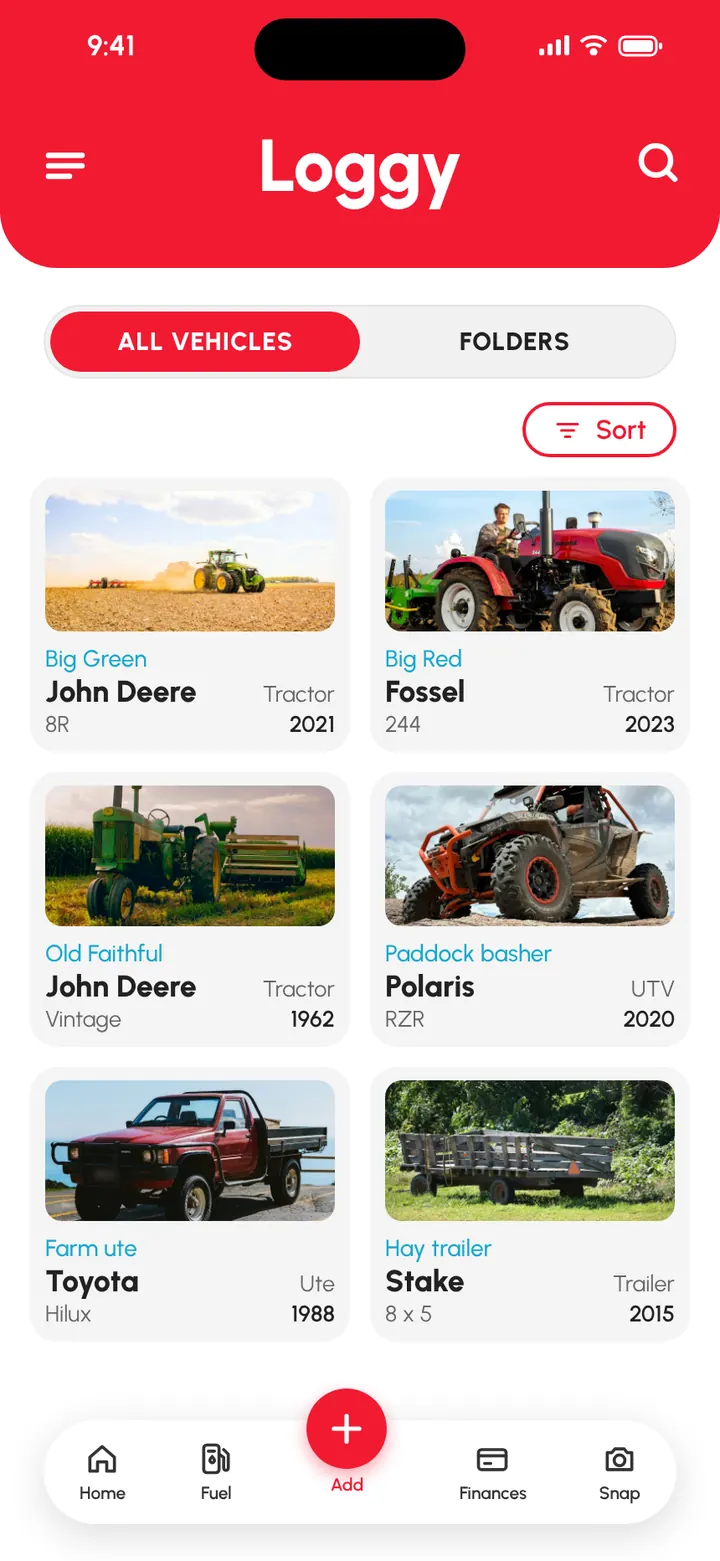
- TractorsJohn Deere, Kubota, Case IH, Claas, Massey Ferguson
- Utes and farm trucksHilux, Ranger, F-250, Silverado, Isuzu
- UTVs and quadsPolaris Ranger, Kubota RTV, Can-Am
- Headers, sprayers and spreadersCase IH combines, Hardi sprayers
- Loaders and diggersSkid steers, backhoes, mini excavators
- Mowers and slashersRide-ons, zero-turns, push mowers
- TrailersGoosenecks, flatbeds, stock and hay trailers
- Generators, pumps and the restIf it needs servicing, add it as Other
How farmers use Loggy
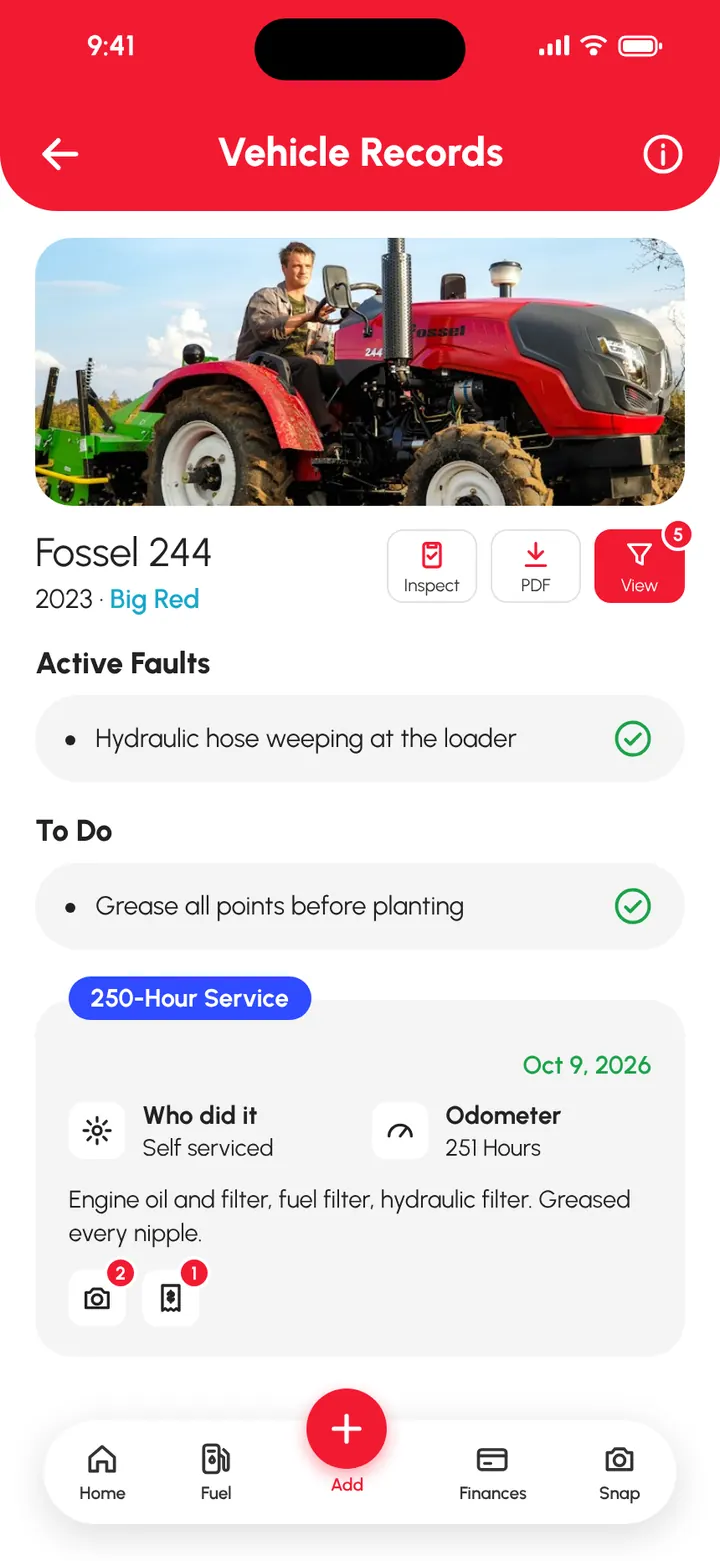
- Log every service with the hour reading, the parts and a photo of the receipt.
- Run a check on the tractor or loader before it goes out, with photos and a sign-off.
- Keep a fault list for each machine: the weeping hose, the light that is out.
- Set reminders for the pre-season service, registration and insurance.
- See what fuel, parts and contractors cost for each machine.
- Bring the old paper service books across with photos.
- Let family and farmhands log to the same machines (Loggy Pro).
- Record what a machine earns from hire or contract work (Loggy Pro).
What's free and what's Loggy Pro
Free
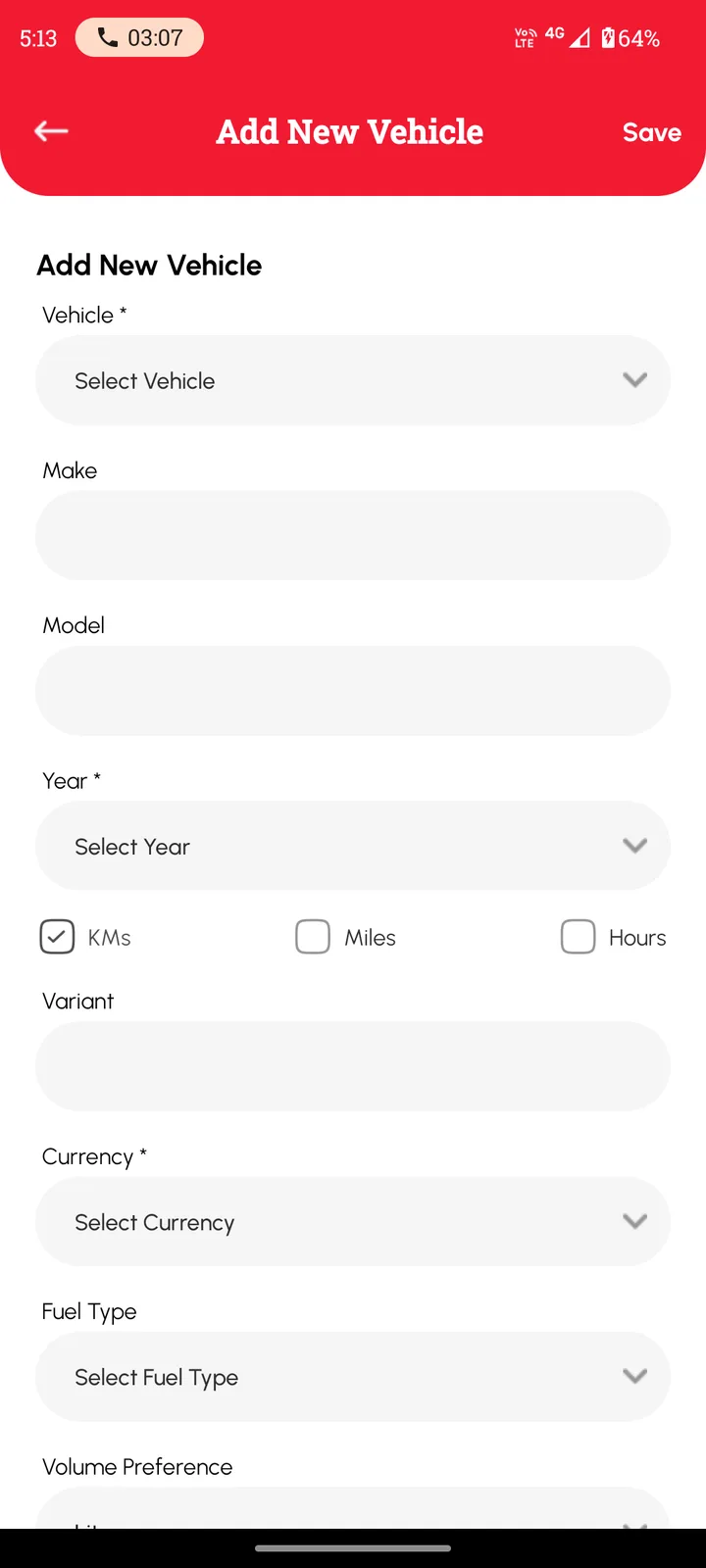
- Hours or km, machine by machine. Choose Hours for the tractor and header, km or miles for the ute.
- Service logs. Hour reading, parts, cost, notes, photos and receipts on every job.
- Your own checklists. Build an inspection for any machine, pass or fail each item, add photos and sign.
- Faults and to-dos. Problems stay visible until fixed, jobs stay listed until done.
- Reminders. Seasonal services, rego and insurance. They repeat, so you set them once.
- Unlimited machines. Every tractor, implement and trailer. No per-vehicle fees.
Added with Loggy Pro
- Farmhands and family. Invite them to log to the same machines.
- Folders. Group by Tractors, Road vehicles, Shed gear or by property.
- Hire and contract income. See what each machine earns.
Loggy Pro adds the extras above for one subscription. The app shows your local price before you pay. What's in Loggy Pro
Tractor maintenance log: free farm equipment template
A tractor maintenance log records each service by date and engine hours, with the parts used, the cost and the hours when the next service is due.
Farm machines run on hours, not kilometres. So the hour meter reading is the most useful number in the log. It tells you what the machine has done since the last service, whatever the calendar says.

What to write down for each machine
Use one page for each machine. After every service, write down:
- The date
- The engine hours from the hour meter
- What was done (be specific: "hydraulic filter changed" beats "service")
- Who did it, you or the dealer
- The parts you used
- What it cost
- The receipt, or a photo of it
- The hours when the next service is due, from the manual for that machine
Free farm equipment log template
Print it and keep it in the shed, or fill it in on a computer. It has the same eight columns, with engine hours in place of the odometer, and the cost column adds itself up in the spreadsheet.
Download the printable PDFDownload the spreadsheet
Keep the log on your phone
Loggy keeps every machine in one place: tractors, mowers, balers, the pickup. Add the hours each time, snap a photo of the receipt, and set a date reminder for the next service. Everything is free to start, with as many machines as you like. Loggy Pro lets you share machines with the people who work for you and sort them into folders by field or job.


How to get started
- Add each tractor and machine with Hours, and the utes and trucks with km or miles.
- Log the last service on each, with the reading.
- Create a check for the machines that go out every day.
- Set reminders for the pre-season services.
Maintenance schedules
Manufacturer service intervals for farm vehicles: all schedules.
Add your tractor free. Pick Hours and log the last service. Free on iOS and Android, no ads. 4.6★ on the App Store, used in 190+ countries.
Frequently asked questions
Can Loggy track tractors by engine hours?
Yes. Pick Hours when you add the tractor, and each service log records the hour reading. Road vehicles in the same app can stay on km or miles.
Can I add implements and gear that aren't on the list?
Yes. Add them as Other and give them a name. Sprayers, trailers, pumps and generators get the same logs, faults, reminders and PDF history.
Can farmhands log to the same tractor?
Yes, with Loggy Pro. The owner invites people by email, and they add logs to the same machine. Only the owner can remove people or edit the machine details.
Is there a limit on how many machines I can add?
No. Unlimited vehicles and machines are free. Loggy Pro adds shared machines, folders, income tracking and downloadable reports.
How often should I service a tractor?
It depends on the make, the model and the work it does. Your operator's manual lists the intervals for your machine. Write each service in your log with the engine hours, so you can see at a glance when the next one is due.
Step-by-step guides
- Vehicle inspection checklist app
- Equipment service intervals: how to find yours
- Engine hours vs mileage: which to track
- Add your first vehicle
- Inspections and checklists
- Enter your old logbooks
- Track expenses and income
Top photo: Unsplash