
Every buyer asks the same thing: has it been looked after? "Trust me" doesn't close the deal. A full history, with dates, readings and receipts, does a lot more of the talking.
What Loggy does for you
Free
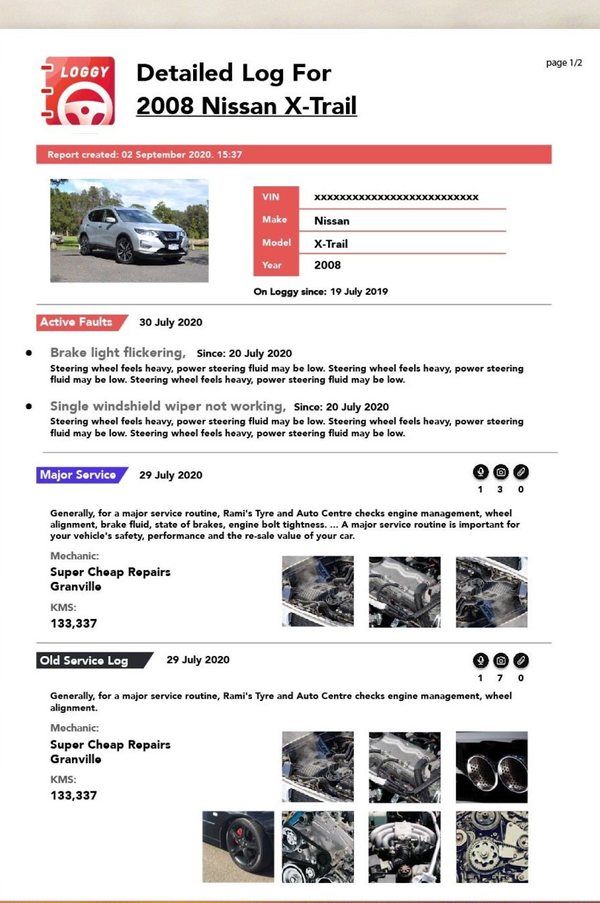
- The Detailed PDF. Every log with its photos and receipts. Send it to buyers or print it for the inspection.
- The one-page overview. A Summary PDF: a table of every log for a quick look.
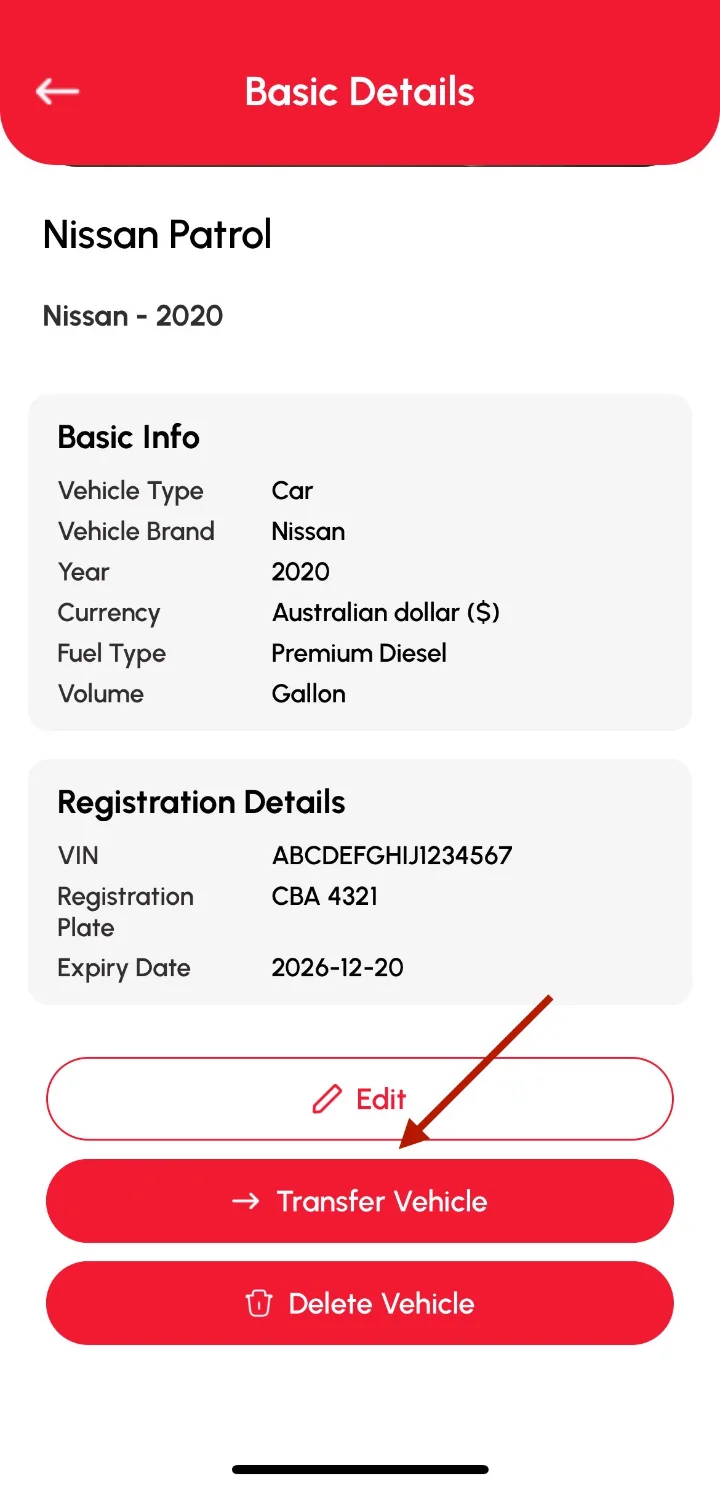
- Hand it all over. Transfer the vehicle and every log to the new owner's Loggy account by email.
- Fill the gaps. Photograph the old logbook so the history goes back further than Loggy does.
- Records a buyer can believe. After 14 days a log can be edited but not deleted, and every edit is tracked.
Before you list it
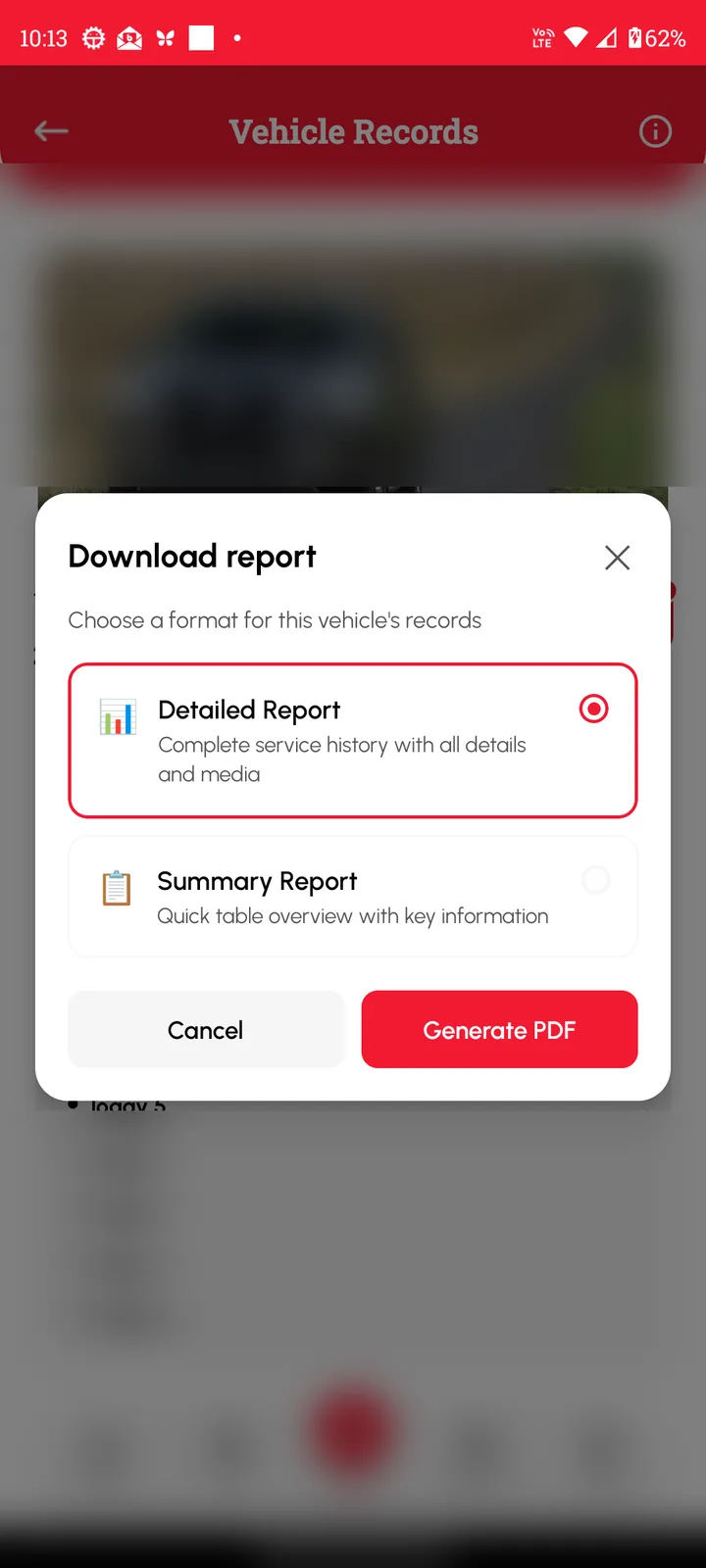
Fill in what's missing. Photograph the old service book into an Old Service Log, and attach receipts to recent logs. Then open the vehicle, tap PDF, choose Detailed Report and add it to your listing or print it for viewings.
Once it's sold, open the vehicle's Basic Details, tap Transfer Vehicle and enter the buyer's email. The vehicle needs a VIN first. You can withdraw the transfer until the buyer accepts it from Transfer Request in their menu. How transfers work
How to get started
- Add old service records and attach receipts.
- Export a Detailed PDF and share it with buyers.
- When it's sold, transfer the vehicle to the buyer's Loggy account.
Maintenance schedules
Check the history against the manufacturer schedule: all schedules.
Start the history now, so it is ready the day you sell. Free on iOS and Android, no ads. 4.6★ on the App Store, used in 190+ countries.
Frequently asked questions
Does the buyer need Loggy?
Only to receive a transfer. Transfers go to a registered Loggy user, so the buyer downloads Loggy and signs up first, which is free. If they'd rather not, send them the PDF.
Can the seller fake the history?
It's much harder than with a paper book. A log can be changed or deleted freely for 14 days. After that it can still be edited, but the changes are tracked with a Modified date, and the log can't be deleted.
What's the difference between the Detailed and Summary PDF?
The Detailed Report has the full log details with attached photos and files. The Summary Report is a table of all logs, good for a quick look.
Is it free?
Yes. PDF export and vehicle transfer are both on the free plan, with no limit on vehicles.
Step-by-step guides
- How to prove a car's service history when you sell
- Download and share a vehicle PDF
- Transfer a vehicle to a new owner
- Enter your old logbooks
- Rules on editing and deleting logs
Top photo: Unsplash