Download and share a vehicle PDF
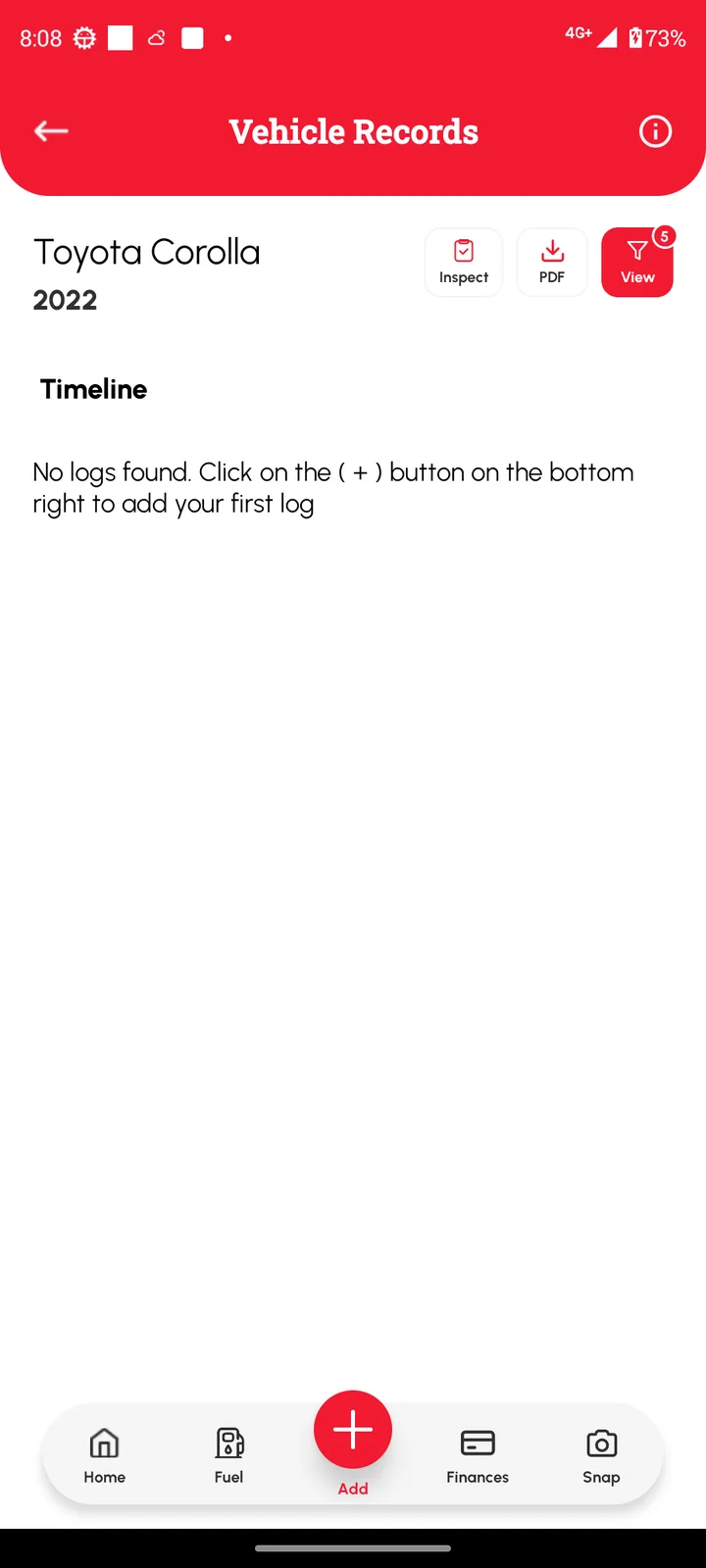
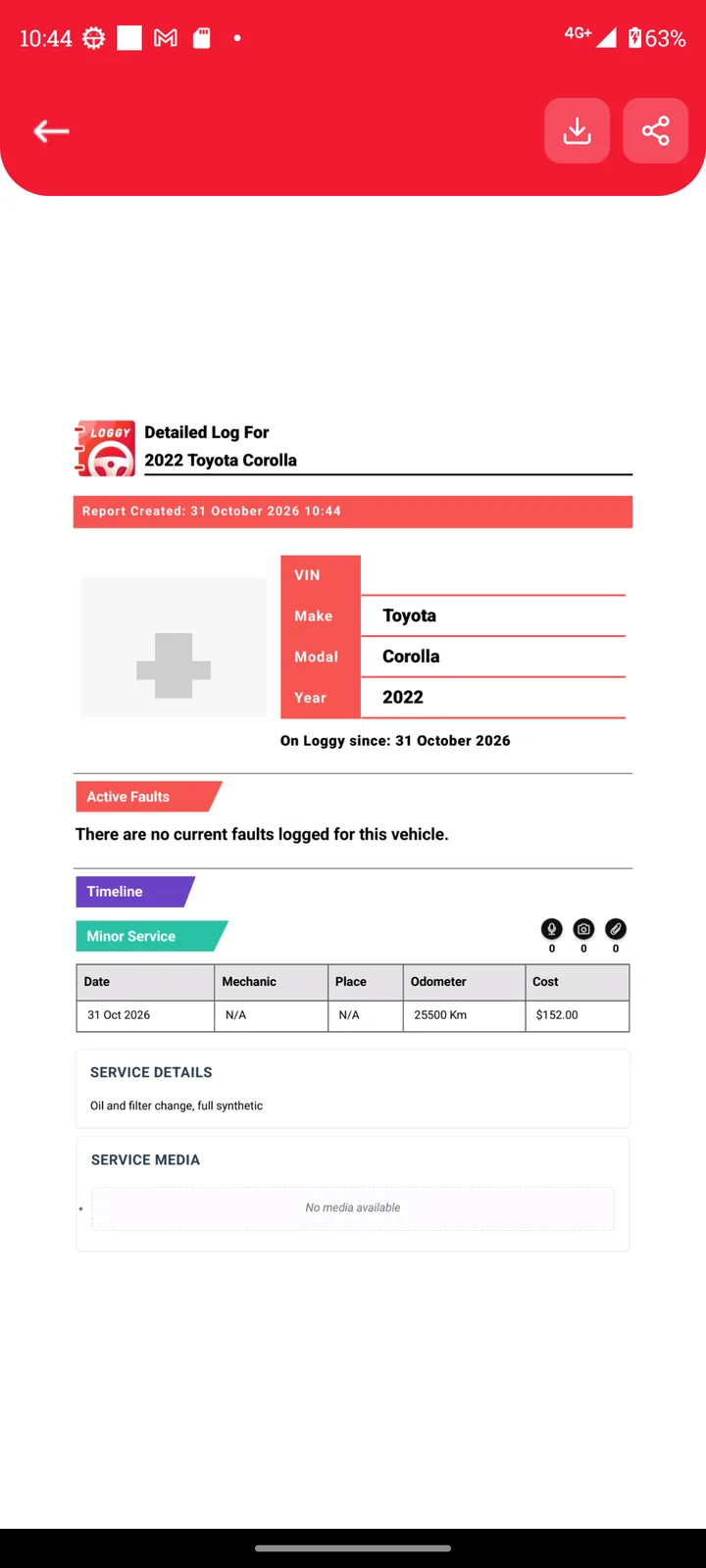
Loggy can turn your vehicle’s history into a PDF with its basic details and logs, ready to share, print, archive or hand over. Open the vehicle, tap the PDF button at the top, pick Detailed Report or Summary Report, and tap Generate PDF.
How to create the PDF
- On the Home page or Vehicles page, select the vehicle.
- Tap the PDF button near the top of the Vehicle Records page.
- In the Download report pop-up, choose Detailed Report or Summary Report.
- Tap Generate PDF.
- Once it’s ready, tap Download PDF or Share PDF.
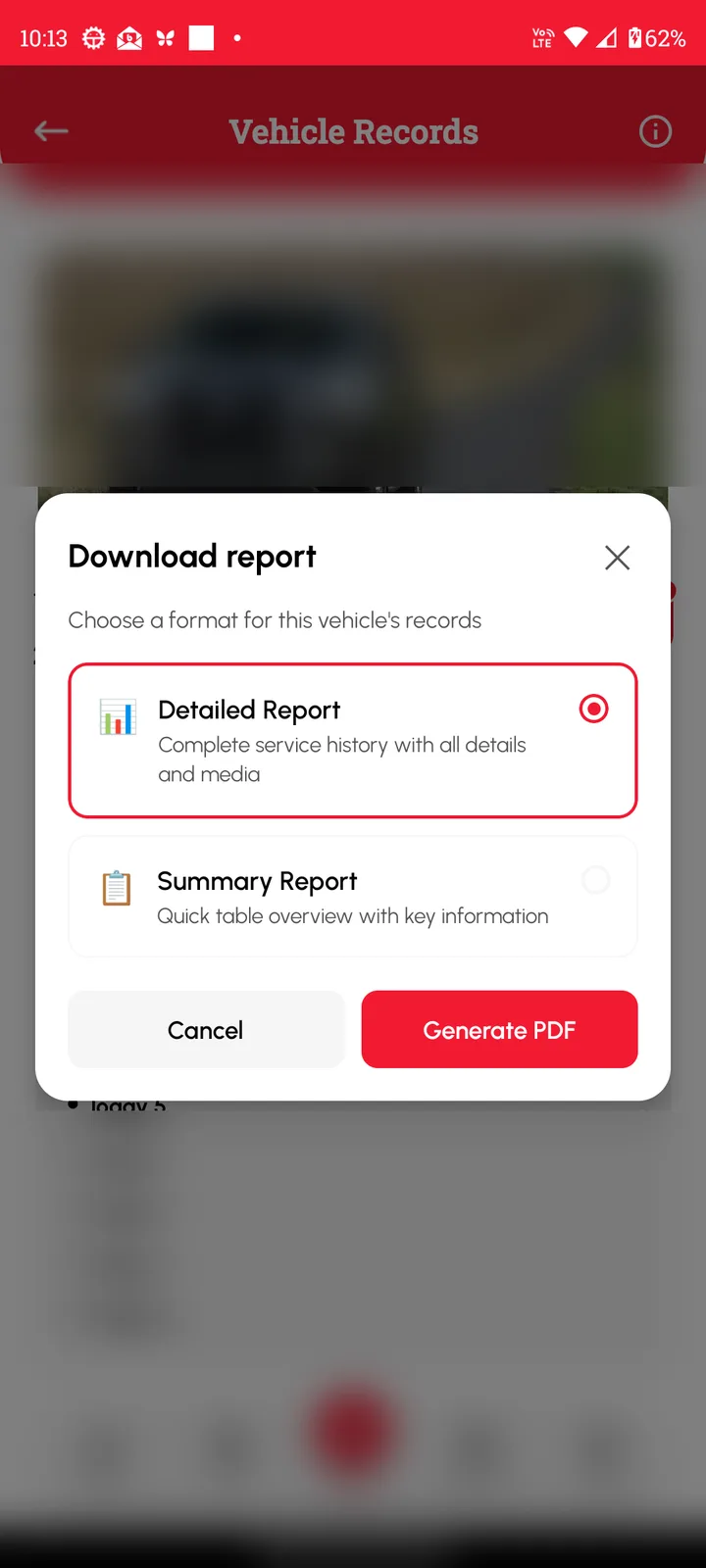
Which PDF type should I pick?
| Type | What’s in it | Good for |
|---|---|---|
| Detailed Report | Full log details with attached photos and files | Selling, insurance claims, a full record |
| Summary Report | A table of all logs with their details | A quick overview for you or your mechanic |