Vehicle Inspection Checklist App for Small Fleets
A vehicle inspection checklist app lets a driver check a vehicle on a phone before use, mark each item pass or fail, attach photos and sign off, so the record stays with the vehicle.
Paper checklists get wet, lost and filled in at the end of the week from memory. Loggy puts the same check on the phone in your hand, and the result is saved to the vehicle the moment you sign. Inspections are free.


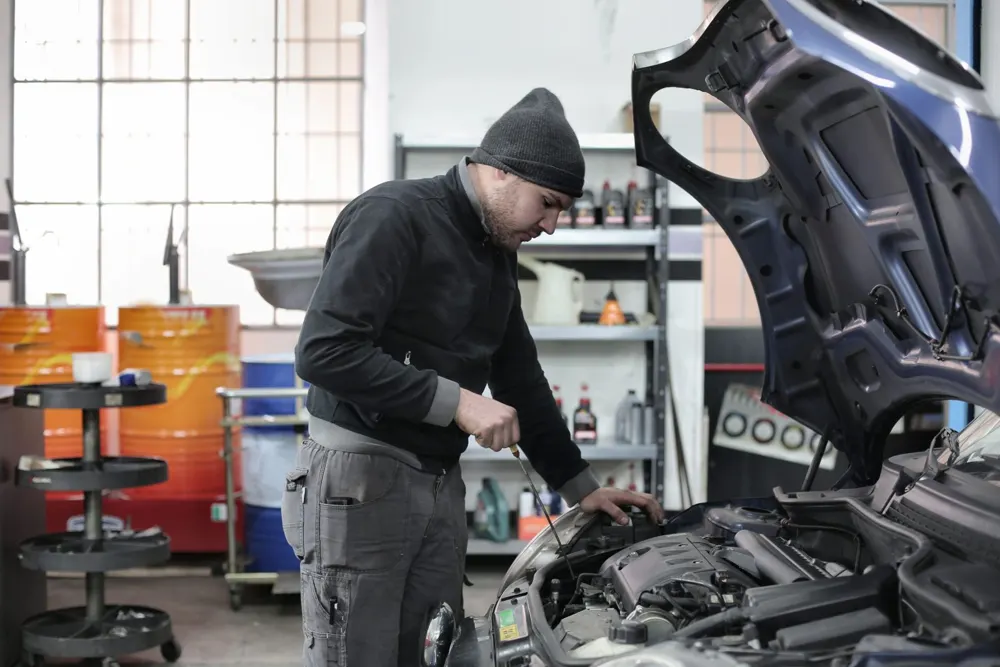
What a vehicle inspection checklist app does
It replaces the clipboard. You open the vehicle, pick a checklist, go through the items and sign. You get a dated record you can find later, with photos of anything that looked wrong.
In Loggy, an inspection can:
- be started from the vehicle in two taps
- use a ready-made checklist or one you build yourself in any format
- take a note and a photo on any item, even one that passes
- finish with a signature
- turn a failed item into a fault on the vehicle with one tap, so it stays on the list until it’s fixed
What to check before a vehicle goes out
A starting list for a car or a light van. Change it to suit your vehicle. This is a starting list, not a legal list.
| Section | Checks |
|---|---|
| Outside | Tires and pressure, lights and indicators, body damage, license plate |
| Fluids | Engine oil, coolant, washer fluid |
| Cab | Seat belt, horn, wipers, warning lights |
That is the 11-item Light Vehicle checklist that comes with Loggy. For a tractor, truck or trailer, tap “Create your own” and build the checks that matter on that machine.
How an inspection works in Loggy
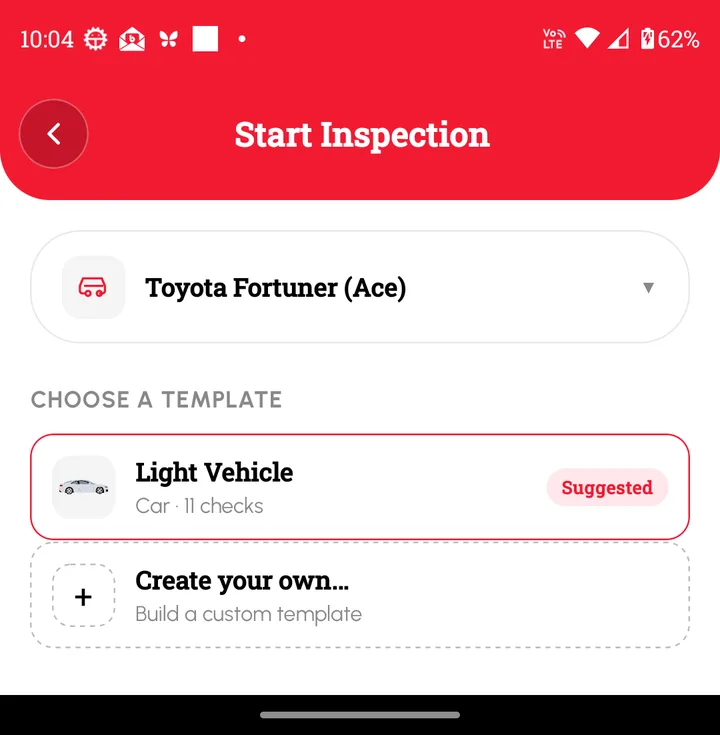
- Open the vehicle and tap Inspect.
- Pick a checklist, or create your own.
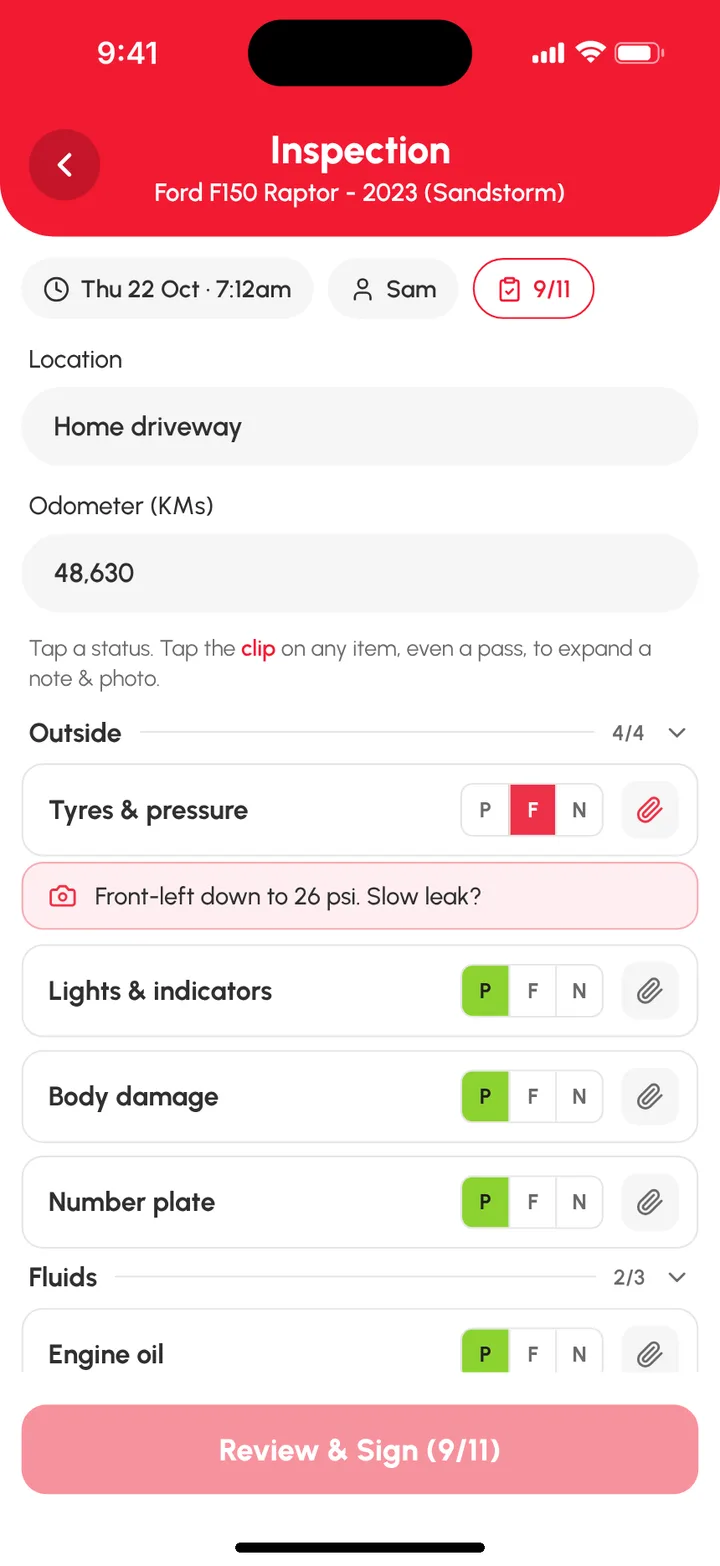
- Add the location and the odometer reading.
- Mark each item P (pass), F (fail) or N (not applicable). Tap the clip to add a note and a photo.
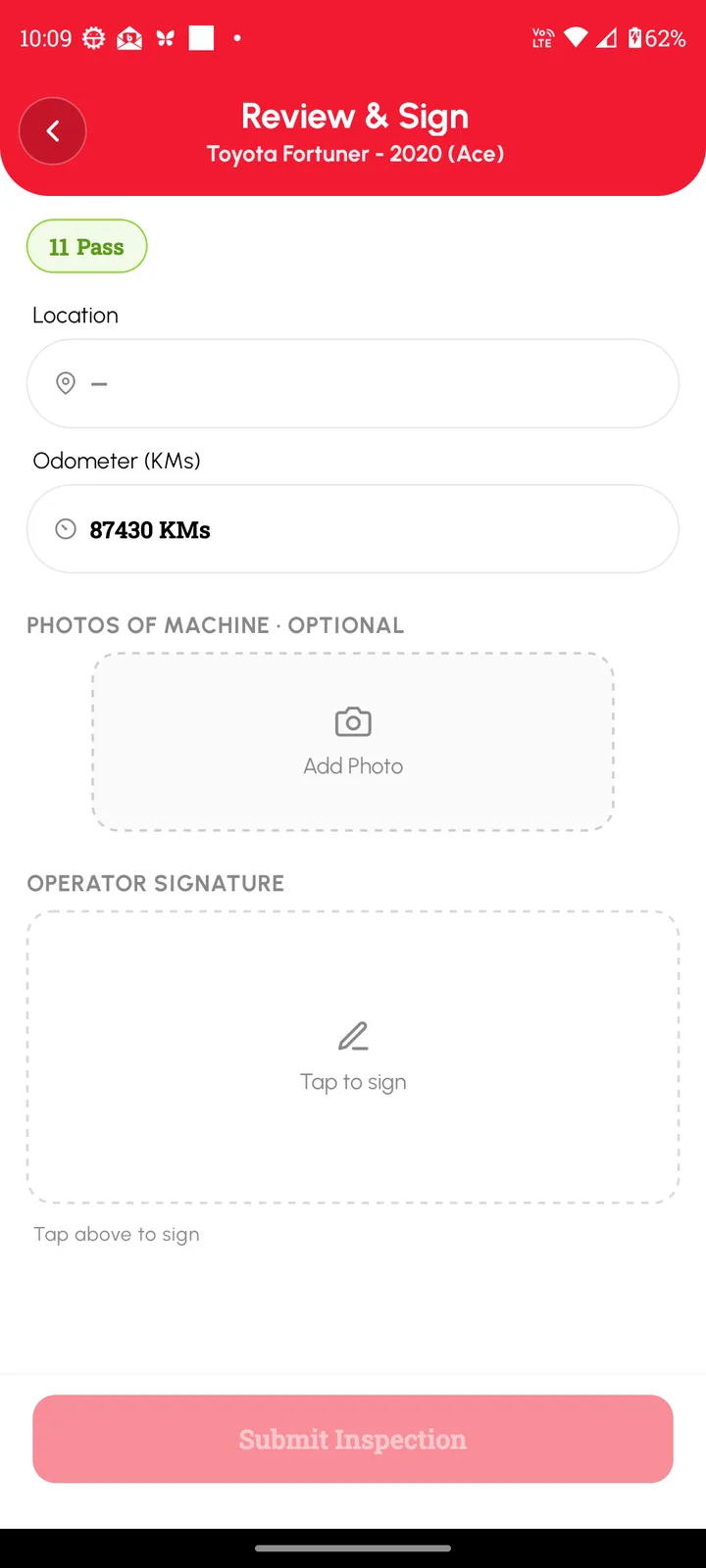
- Tap Review and sign, check the summary, draw your signature and tap Submit Inspection.
If nothing failed, you see “No defects”. If something failed, tap to create a fault from it. It goes on the vehicle’s list of active faults, so it doesn’t get forgotten.
Past inspections live under Inspections in the menu. Filter by vehicle, and by all, defects or this week. Step-by-step help
Paper, phone app or full fleet inspection software
All three work. Pick the one that fits the size of the job.
| Paper checklist | Phone app (Loggy) | Full fleet inspection software | |
|---|---|---|---|
| Cost | Cheap | Free to start | Per vehicle, per month |
| Photos with each item | Hard | Built in | Built in |
| Signature | Pen | Drawn on the phone | Built in |
| Record stays with the vehicle | Only if you file it | Yes | Yes |
| Failed item becomes a fault | By hand | One tap | Often automated |
| Setup | None | Add your vehicles | Account, training, often a demo |
| Best for | One vehicle, no phone | Owners and small crews | Large fleets with compliance teams |
Loggy is a simple log and checklist app. If you need dispatch, work orders or audit workflows for a large fleet, full fleet inspection software is built for that. For a handful of vehicles, see Loggy for small fleets.
Prestart check or full inspection
A prestart check is the short walk-around before a vehicle goes out for the day. A full inspection is the longer look: at a service, before you buy, or at the end of a season. Loggy uses the same tool for both. Build a short checklist for the daily check and a longer one for the big look. There’s more on how to set up a daily check in our prestart checklist for a small fleet.
Questions
Can I make my own checklist?
Yes. Start an inspection and tap “Create your own”. You can build a new checklist in any format you like, for a car, a truck, a tractor or any other machine.
What happens when I mark an item as failed?
The item is marked as failed in the inspection. Tap to create a fault from it, and the problem stays on the vehicle’s list until it’s fixed. See track faults.
Does an inspection need a signature?
Loggy asks you to draw your signature on the phone before you submit. It’s saved with the inspection.
Can I add photos?
Yes. Tap the clip on any item, even one that passes, to add a note and a photo. You can add photos of the whole vehicle at the end.
Is the inspection app free?
Yes. Inspections are free in Loggy, with unlimited vehicles and no ads. Loggy Pro adds sharing vehicles with other people, folders, and income and expense reports.
Is this a legal inspection record?
Rules differ by country, state and vehicle type, and Loggy can’t tell you what yours require. Check with your regulator. Loggy keeps a dated record of what you checked and signed, which is useful to have either way.
Run your first inspection on your phone. Free on iOS and Android, no ads.
More: free vehicle maintenance log · trucking and towing · inspections help