Inspection checklist: meaning and examples
An inspection checklist is a fixed list of items to check on a vehicle or machine, each marked pass, fail or not applicable. Using the same list every time makes checks quicker and makes the results comparable over time.
How it works
An inspection checklist is a fixed list of things to check, each with a pass, fail or not applicable mark. Because the list is the same each time, nothing is skipped and results can be compared from one day to the next.
Lists vary by vehicle. A car needs a short list, a truck or trailer needs more, and a mower or boat has its own points.
Checklists you can print
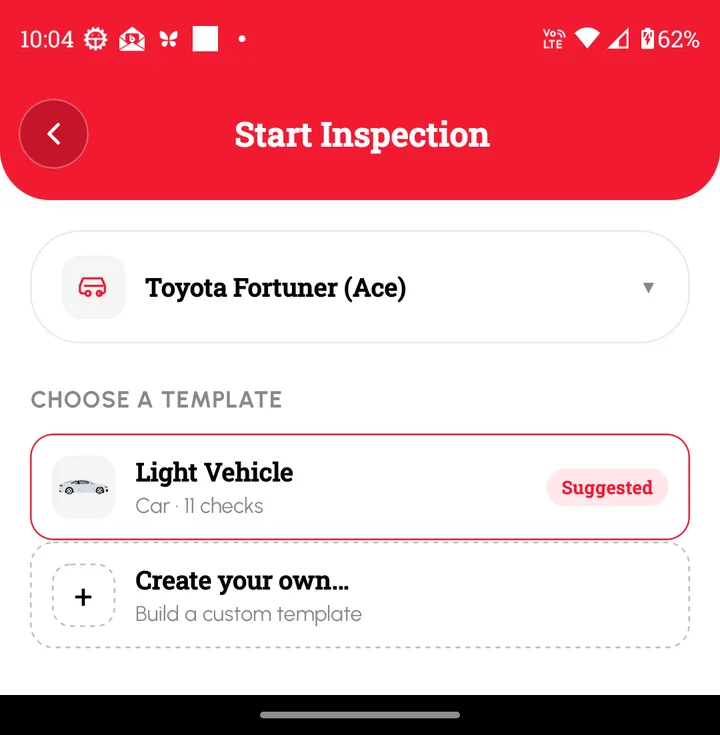
Loggy's free templates hub has printable PDF and Excel checklists for trucks, mowers, trailers, boats and motorcycles, with no sign-up. In the app, the Light Vehicle template has 11 checks, and you can build your own.
How to track it in Loggy
Loggy's Inspections use a template for the checklist. Each inspection is saved to the vehicle with the date, time and who did it. Printable checklists are free to download.
- Choose a template or create your own in Inspections.
- Run the checks and mark pass, fail or not applicable.
- Sign and submit. The result is saved to the vehicle with the date, time and who did it.
Loggy is a free maintenance logbook app for iOS and Android. The free plan has unlimited vehicles, reminders, PDF export and vehicle transfer, and no ads.


Frequently asked questions
Where can I get a printable checklist?
The Loggy templates hub has PDF and Excel versions to download.
Should I keep completed checklists?
Yes. A saved record shows when a check was done and what was found.
Who signs the checklist?
The person who did the check. Loggy asks for a signature before the inspection is submitted.