Vehicle transfer: meaning and examples
A vehicle transfer hands a vehicle's records to its next owner when it is sold or given away. Passing on the history with the vehicle lets the new owner see what has been done to it.
How it works
A vehicle transfer passes a vehicle's records to its new owner when it is sold or given away. The point is that the history goes with the vehicle, rather than staying behind on the seller's phone or in a drawer.
This is separate from changing legal ownership with the licensing authority, which you still do in the usual way for your country.
How a transfer works in Loggy
The seller sends the vehicle to the new owner's email address. The new owner accepts it from Transfer Request in their menu, and the vehicle and all its logs become theirs. The seller can withdraw the transfer until it is accepted.
How to track it in Loggy
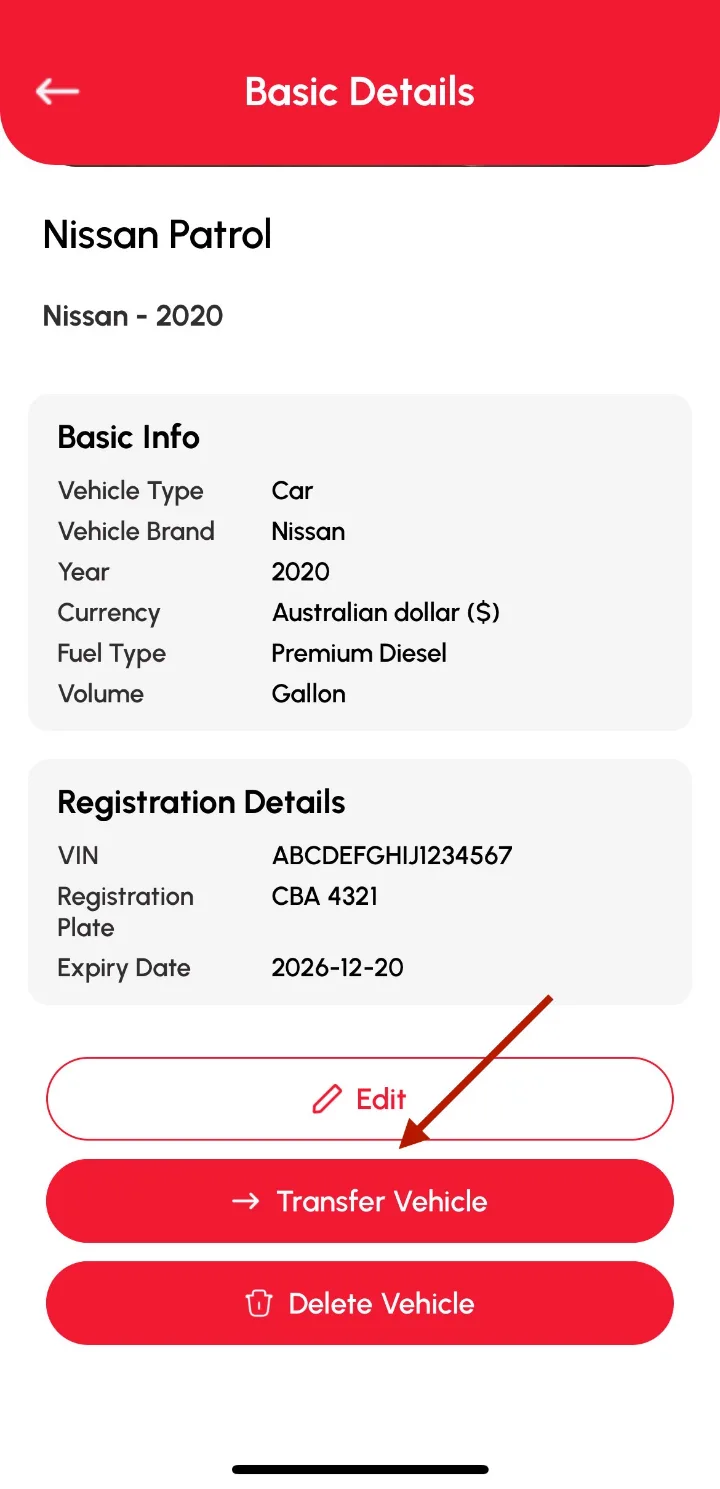
Transfer Vehicle sends a vehicle and all its logs to another Loggy user by email. The vehicle needs a VIN first, you can withdraw the transfer until it is accepted, and transfers are free.
- Add a VIN in the vehicle's Basic Details if there is not one yet.
- Tap Transfer Vehicle and enter the new owner's email twice.
- The new owner accepts the request in the app.
Loggy is a free maintenance logbook app for iOS and Android. The free plan has unlimited vehicles, reminders, PDF export and vehicle transfer, and no ads.


Frequently asked questions
Does the buyer need Loggy?
A transfer goes to a Loggy account. If they do not have one, you can send a PDF of the history instead.
Does it cost anything?
No, transfers are free.
Does it change the legal owner?
No. It moves the records only.