Log entry: meaning and examples
A log entry is one dated record of work on a vehicle, usually with the reading, what was done, who did it and what it cost. A run of log entries makes up the service history.
How it works
A log entry is one record in the logbook. It normally holds the date, the odometer or hour reading, what was done, the parts used, the cost and who did the work.
Short, regular entries beat occasional long ones. If you note the job on the day, the details are still fresh and the receipt is still in your pocket.
What a good entry holds
Illustration: "Date, reading, oil and filter changed, parts, cost, photo of the receipt." Four or five fields are enough. Loggy's Basic log covers those, and Advanced mode lets you record which parts were serviced.
How to track it in Loggy
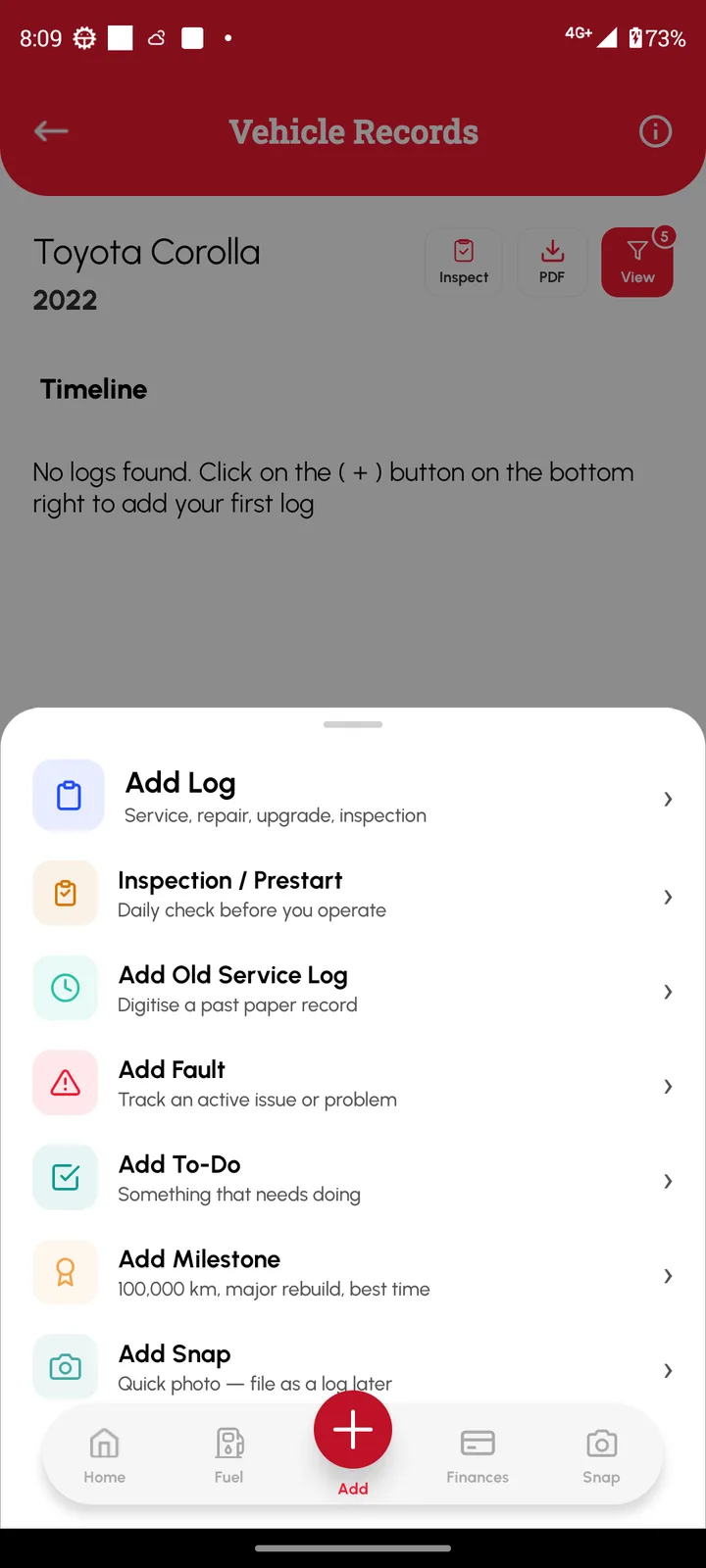
Open the vehicle, tap Add, then Add Log. A Basic log covers the date, reading, cost and notes. Switch to Advanced to record which parts were serviced. Older paper records go in as Old Service Logs.
- Open the vehicle, tap Add, then Add Log.
- Fill in the date, reading, work done and cost, and attach the receipt or photos.
- Tap Save. The log shows on the Vehicle Records page.
Loggy is a free maintenance logbook app for iOS and Android. The free plan has unlimited vehicles, reminders, PDF export and vehicle transfer, and no ads.


Frequently asked questions
What if I do the work a week late?
Loggy records both the date of the work and the date you entered it, so the history stays accurate.
Can I attach receipts?
Yes. Logs take photos, videos, voice notes and PDFs.
How do I add old paper records?
Photograph the pages and add them as an Old Service Log with a start and end date.