To-do: meaning and examples
A to-do is a job planned for a vehicle in the future, such as fitting new tyres or booking a service. It is different from a log entry, which records work already done.
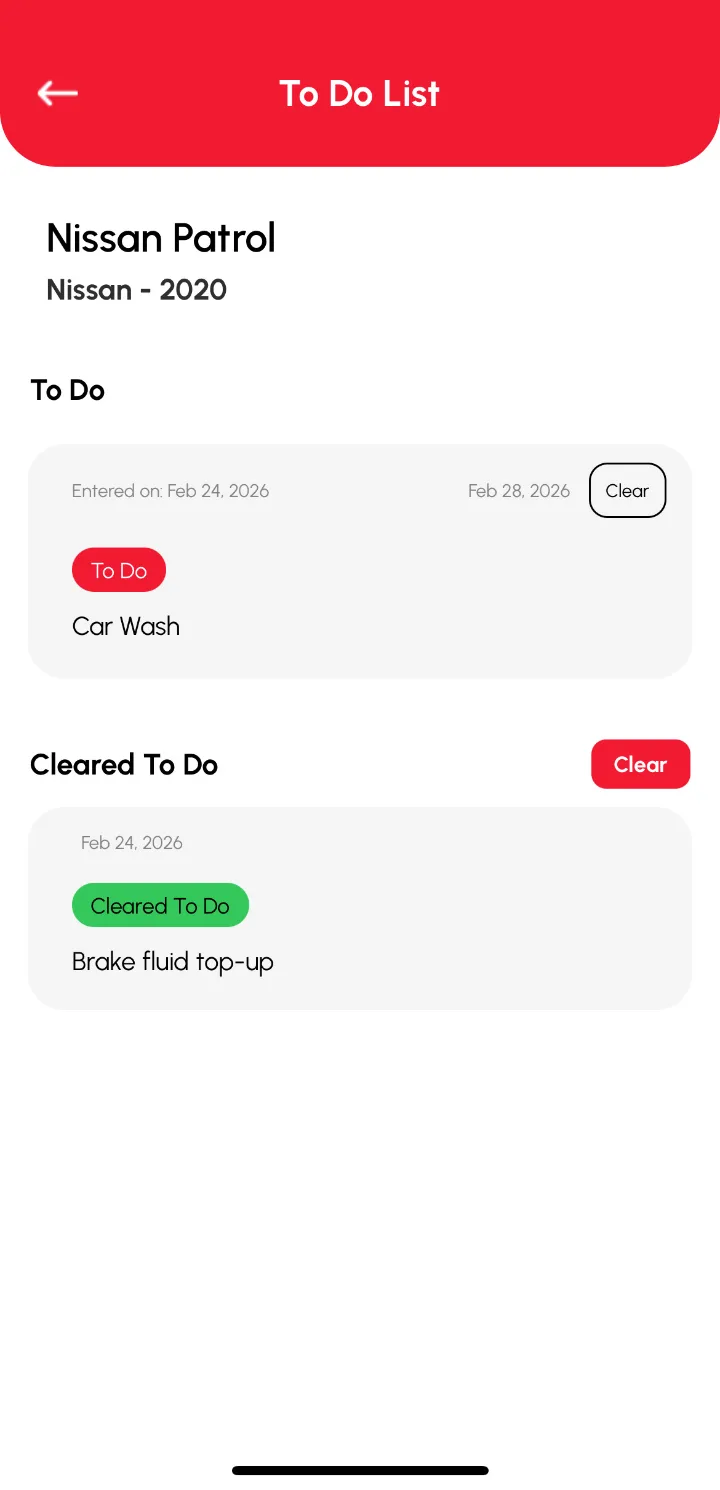
How it works
A to-do is a job you plan to do on a vehicle in future: book the service, fit winter tyres, replace wipers. It differs from a log entry, which records work already finished.
Keeping to-dos attached to the vehicle means they are in the same place as its history, and they can be cleared when done.
A to-do becomes a log
Illustration: you add "replace rear brake pads" as a to-do for the end of the month. When the job is done you clear the to-do and add a log with the date, reading, parts and receipt.
How to track it in Loggy
Add a To Do from the vehicle's Add button and Loggy notifies you on the date you set. Clear it when the job is done.
- Open the vehicle, tap Add, then Add To-Do.
- Fill in the form and set the date you want to be notified.
- Clear it when the work is done, and add a log for the record.
Loggy is a free maintenance logbook app for iOS and Android. The free plan has unlimited vehicles, reminders, PDF export and vehicle transfer, and no ads.


Frequently asked questions
Does a to-do notify me?
Yes. Loggy sends a notification on the date you set.
Is a to-do the same as a reminder?
Similar, but a to-do belongs to one vehicle and describes a job. Reminders cover time-based items such as renewals and repeat services.
Is it free?
Yes, To Dos are on the free plan.